

Short version: if you want an agent that takes a brief and ships a whole feature while you review, pick Claude Code. If you want to stay inside an editor and accept suggestions as you type, Cursor still does that well, but its 2026 pricing makes Claude and GPT models an extra line on the bill. We build client sites with Claude Code every working day, and we have run the same jobs through Cursor to see where it wins. This post compares the two on what matters to a small team: what each tool is now, what it costs in October 2026, and how a site goes from brief to deployed with each.
Claude Code vs Cursor at a glance
The verdict in one table. Facts are from the two pricing pages and docs on 16 October 2026, so check them again before you pay.
| What matters | Claude Code | Cursor | Codex (for reference) |
|---|---|---|---|
| Shape | Terminal, IDE panel, desktop, web and cloud agent | Editor first, with cloud agents on Premium and up | CLI, IDE extension and web |
| Cheapest paid plan | Claude Pro, $20 a month, agent included | Plus, $8 a month, Grok models only | ChatGPT Plus, $20 a month |
| Claude or GPT models | ✅ Claude models on every paid plan | 🟡 Premium ($30) and up, billed separately at API list price | ✅ GPT models on Plus |
| Multi-file autonomous work | ✅ Subagents, hooks, cloud sessions | ✅ Agent with no tool-call limit | ✅ Cloud tasks open a PR |
| Inline completions while typing | ❌ Not its job | ✅ The thing it is best at | 🟡 Through the IDE extension |
| Open source | ❌ | ❌ | ✅ Apache 2.0 CLI |
One honest caveat before the detail: both tools change monthly. The comparison below is dated, and the numbers link to the pages they came from. If you only have five minutes, read the pricing section and the "how we build a client site" section. Those two decide the question for most small teams, because the tools overlap far more in capability than they do in what you pay for a month of real use.
What Claude Code and Cursor actually are in late 2026
Claude Code: an agent that lives wherever you work
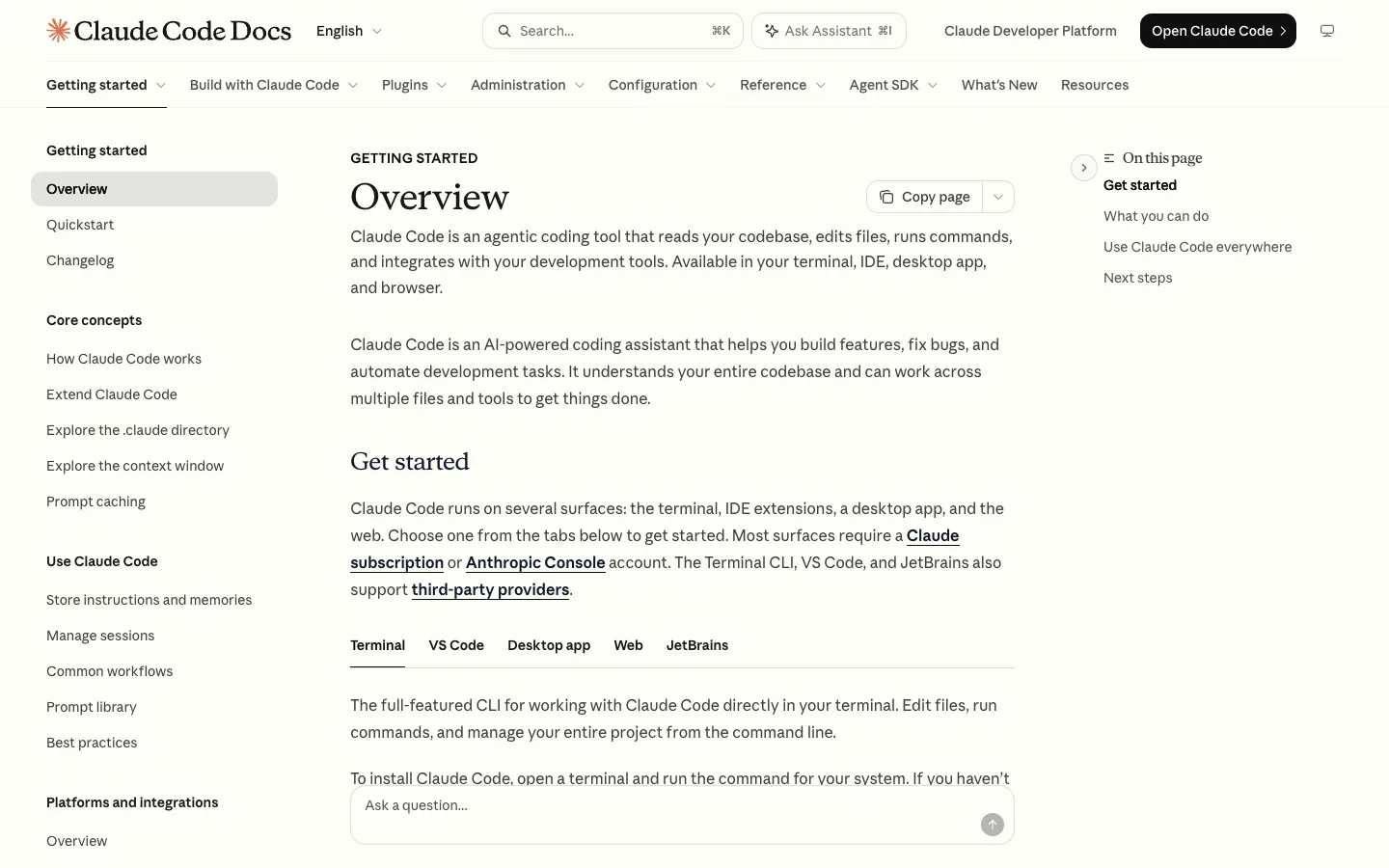
Claude Code started as a terminal tool and now runs in the terminal, as a VS Code or JetBrains panel, as a desktop app, on the web at claude.ai/code and on a phone, according to Anthropic's docs. You give it a task, it reads the repo, edits files, runs commands and tests, and reports back. The pieces that make it useful on real projects are a CLAUDE.md file that holds project rules, hooks that run checks after every edit, subagents for parallel work, MCP servers for outside tools, and cloud sessions that keep running after you close the laptop.
Cursor after the X deal: Grok first, everything else metered
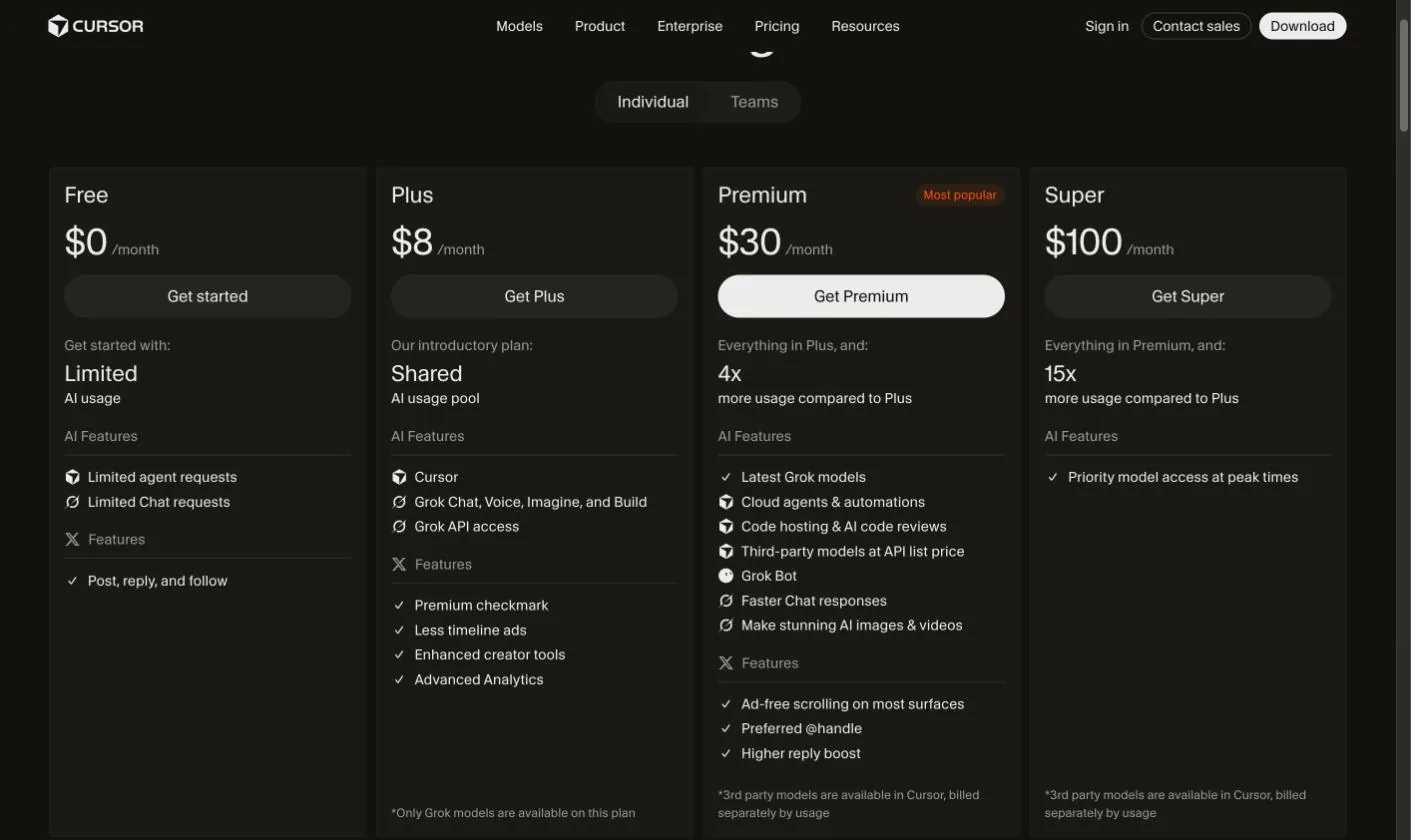
Cursor is still the editor most developers picture when they hear "AI coding", and its Agent can run as many tool calls as a task needs, per the Cursor docs. What changed in 2026 is the business around it. The pricing page now lists plans that bundle Grok features (Grok Chat, Voice, Imagine, a Premium checkmark, fewer timeline ads), the $8 Plus plan says in its footnote that only Grok models are available, and third-party models such as Claude are billed separately by usage. Press coverage in 2026 reported that Anysphere, Cursor's maker, was acquired by SpaceX, and that OpenAI told the new owner it would stop supplying models to Cursor from 12 November 2026. Read the footnotes on the pricing page before you assume your favourite model is included.
Where Codex fits
OpenAI's Codex is the third name in most of these searches. It is an open-source CLI (Apache 2.0) plus an IDE extension and a web app, and it comes with a ChatGPT Plus plan at $20 a month, per OpenAI's pricing docs. Its shape is closest to Claude Code: a task runner, not a typing assistant. If your team already pays for ChatGPT, Codex is the free experiment to run first.
Not sure which agent fits your stack?
Tell us what you build and how your team works. We will map Claude Code, Cursor or Codex to your workflow on a free 20-minute call, no pitch.
Pricing and usage limits side by side
Is Claude Code free?
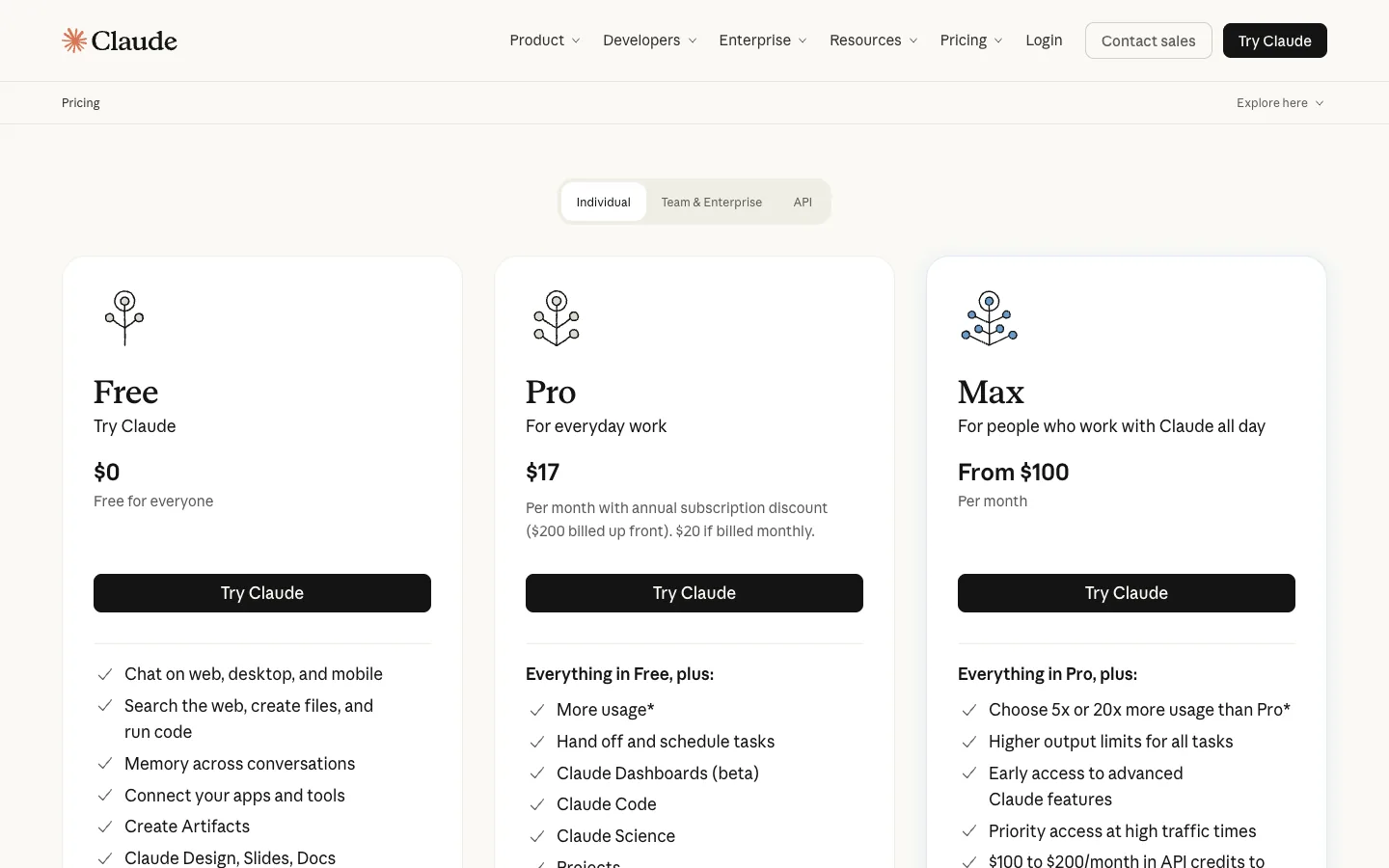
No. The Claude Free plan does not include Claude Code. It comes with Pro at $20 a month ($17 on annual billing), Max at $100 or $200 a month, and Team and Enterprise seats, per Claude's pricing page. Pro and Max share a five-hour session limit and a weekly limit across Claude chat and Claude Code, and you can buy usage credits at API rates when you run out, according to Anthropic's support article. For teams that bill by the token instead, Anthropic's own cost page puts the enterprise average at about $13 per developer per active day.
What Cursor's plans give you
| Plan (monthly, USD) | What you get |
|---|---|
| Free, $0 | Limited agent and chat requests |
| Plus, $8 | Shared AI usage pool, Grok models only, Grok API access |
| Premium, $30 | 4x Plus usage, cloud agents and automations, code hosting and AI code reviews, third-party models at API list price |
| Super, $100 | 15x Plus usage, priority model access at peak times |
| Ultra, $200 | 50x Plus usage |
| Teams, from $30 a user | Shared billing and admin controls |
Source: cursor.com/pricing, 16 October 2026. The practical difference: a developer who wants Claude models inside Cursor pays $30 for Premium and then pays again for every Claude token. The same developer gets Claude Code with Claude models for $20 on Pro. If Cursor's editor features are what you value, that extra cost may be worth it. If the agent is what you value, it rarely is.
How we build a client site with each tool
Here is the same job, a marketing site for a client on Webflow or Next.js, run through both tools. Claude Code is our daily driver, so that half is lived experience. The Cursor half comes from running our usual tasks through it on the same project [Waris to confirm which project].
Brief and spec
With Claude Code the brief lives in a CLAUDE.md at the root of the project: the client, the sitemap, the design tokens, what never to touch. Plan mode drafts the task list before any file changes, and we edit that list, not the code. Cursor's equivalent is rules files plus a chat thread. Both work. The difference is that Claude Code's plan survives into cloud sessions and subagents, so the spec is reused rather than retyped.
Build
For Webflow, Claude Code talks to the site through the Webflow MCP server: it creates collections and fields, writes CMS items in bulk, builds page layouts and components, and publishes. For Next.js it edits the repo like any developer would, and hooks run lint and tests after each change. Cursor's Agent is strong on the Next.js side, especially for quick multi-file refactors where you want to watch the diff appear in the editor. On the Webflow side it needs the same MCP server, and that only pays off on Premium and above where cloud agents and third-party models unlock.
QA and deploy
Claude Code can drive Chrome with the Claude in Chrome extension, per the Chrome docs: it opens the staging URL, tests forms, checks console errors and compares pages to the Figma mock. Cloud sessions, started with claude --cloud, run long test passes without tying up a laptop, and a routine can rerun them weekly. Cursor's answer is Bugbot code review and cloud agents on Premium. For a two-person agency the deciding factor is simple: one $20 plan versus a $30 plan plus model usage, for a similar amount of autonomous work.
Installing Claude Code in two minutes
On macOS, Linux or WSL run curl -fsSL https://claude.ai/install.sh | bash, then cd into a project and type claude. Windows PowerShell uses irm https://claude.ai/install.ps1 | iex. Homebrew (brew install --cask claude-code) and WinGet also work, and the VS Code extension installs inside Cursor too, so you can keep Cursor as the editor and run Claude Code beside it. All from the official docs.
Want to see this workflow on your own site?
Send us your Webflow or Next.js project. We will record a free 10-minute walkthrough of how an agent would handle your next feature, with the real commands.
If you are newer to this way of working, our explainer on what vibe coding is covers the vocabulary, and how AI changed the web app stack covers the architecture side. For the wider field of agents, read our ranked list of AI coding agents.
Frequently asked questions
Is Claude Code free?
No. The Claude Free plan excludes it. You need Pro at $20 a month ($17 annual), Max from $100, a Team or Enterprise seat, or an API key billed per token. Pro and Max carry a five-hour and a weekly limit, and usage credits at API rates extend them when you hit the cap.
Can I still use Claude models inside Cursor?
Yes, on Premium ($30 a month) and above, where third-party models are billed separately at API list price on top of the plan. The $8 Plus plan is Grok-only. OpenAI has said its models will stop being supplied to Cursor on 12 November 2026, though your own OpenAI API key still works in the editor.
Claude Code vs Codex: which is cheaper?
They cost the same at the entry level. Codex comes with ChatGPT Plus at $20 a month and Claude Code comes with Claude Pro at $20 a month, both on usage windows rather than unlimited use. Both also run on pay-per-token API keys, so the real decision is which model you trust on your codebase, not the sticker price.
Can I run Claude Code and Cursor together?
Yes. Anthropic publishes the Claude Code extension for Cursor as well as VS Code, so you can keep Cursor as the editor for reading and reviewing code and run Claude Code in a panel or terminal beside it for multi-file builds. Many teams split the work exactly that way.
Which should a small agency pick?
Pick Claude Code if most of your work is handing an agent a brief and reviewing the result, which is how site builds, CMS migrations and content work go. Pick Cursor if your developers live in the editor all day and want completions as they type. If the budget allows only one, Claude Pro at $20 covers the agent and the chat.
Ship Your Next Site With an Agent.
We build Webflow and Next.js sites with Claude Code in the loop, from brief to launch, with a human signing off every page. Get a free scope and quote for your project.




