

A hero section is the first screen a visitor sees on a website: a headline, a short support line, one call to action and one visual. Its job is to say what the site is for, who it is for, and what to do next, before anyone scrolls. Good hero section design is mostly restraint. This post shows seventeen heroes from established companies, captured by us on 16 October 2026 at desktop and phone widths, each with one decision to steal and one slip, then the five layouts and what each does on a 375px screen, the rules with their sources, and the checks we run before a hero ships.
Hero section layouts at a glance
| Layout | Examples below | What happens at 375px |
|---|---|---|
| Centred statement over product | Linear, Raycast, Loom, Groww | Stacks cleanly; the product shot drops below the button |
| Split: copy left, product right | Framer, Chargebee, Postman, Superhuman | Copy first, visual second; long headlines push the button down |
| Product as the hero | Perplexity, Figma, Retool | The product UI shrinks; the prompt box or canvas must stay usable |
| Input-capture | Mercury, Ramp, Lovable | One field and one button still fit the first screen |
| Brand statement with imagery | CRED, Clay, ElevenLabs, Attio | Illustration eats the screen; the headline must survive the crop |
Hero section examples from established companies
1. Linear: the statement over the product
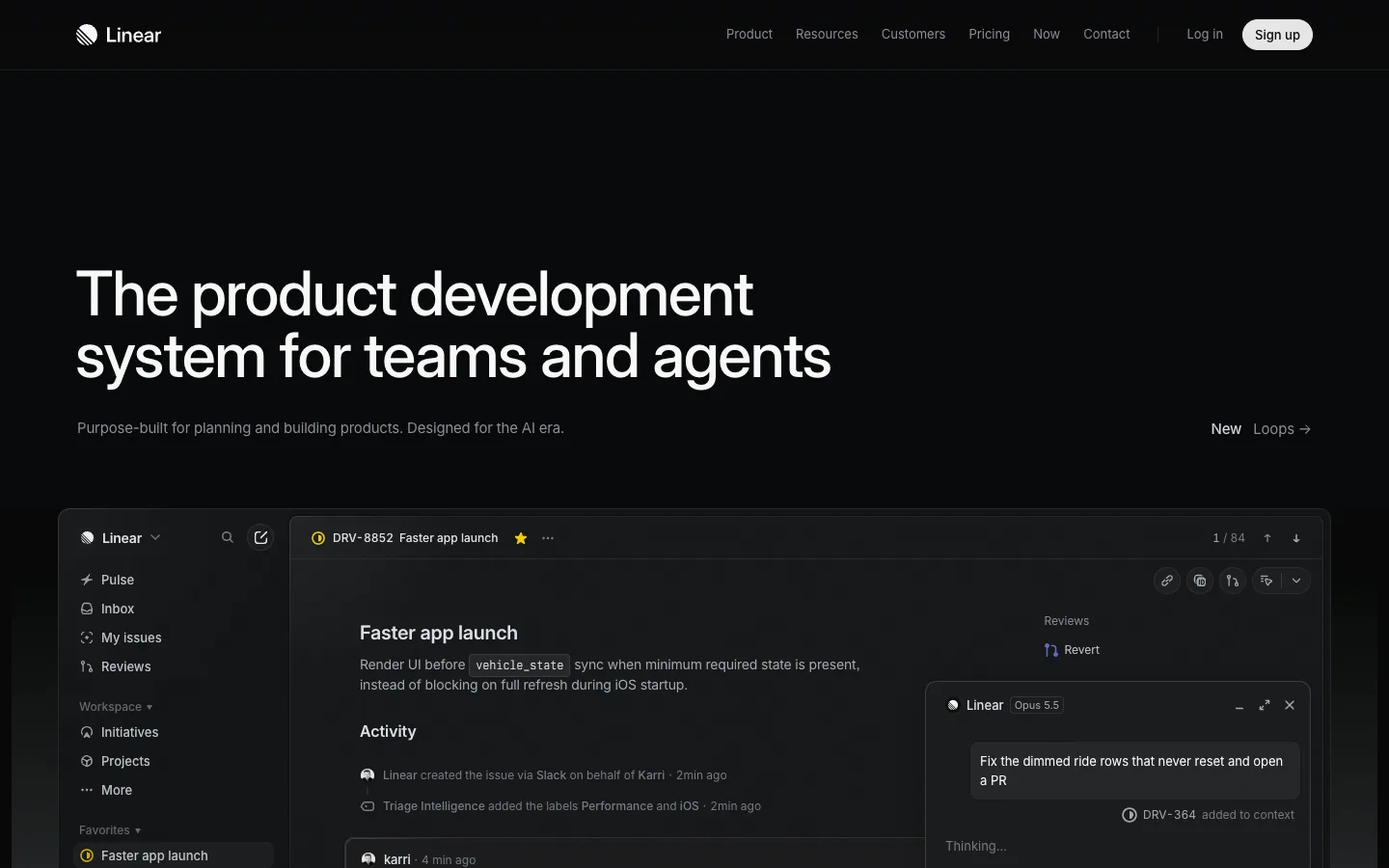
Steal this: the headline names the category ("product development system") and the audience ("teams and agents") in nine words. Where it slips: the primary action is a small Sign up in the nav, not in the hero; a visitor who does not look up top has nothing to click.
2. Figma: the canvas as the pitch
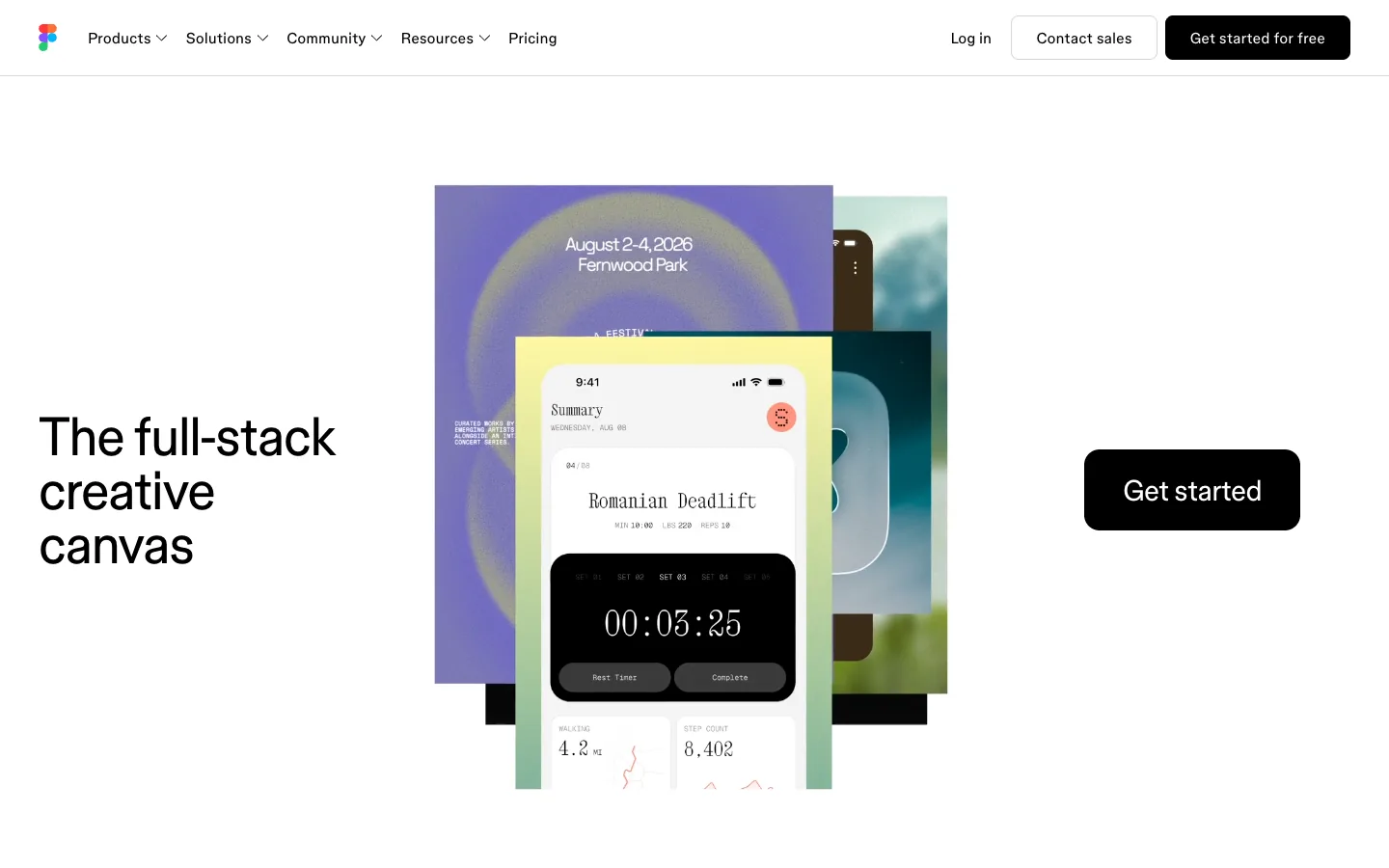
Steal this: the visual is the product doing something, not an illustration of it. Where it slips: "full-stack creative canvas" is a category claim that a first-time visitor cannot decode without the support line, and there is no support line.
3. Raycast: the download button as the only action
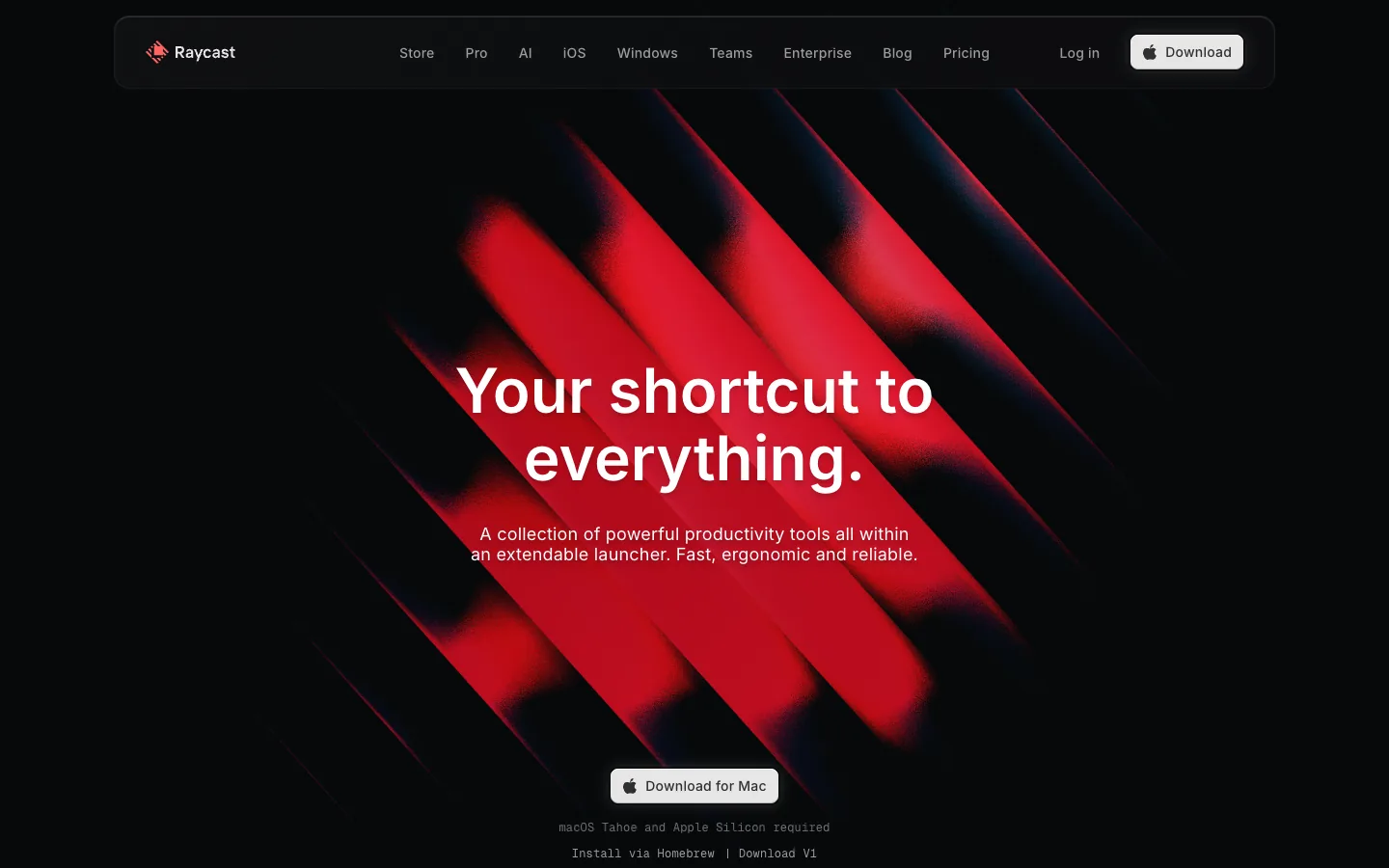
Steal this: one button, specific to the platform, with the system requirement in small print under it. Where it slips: the headline is a slogan; the support line does the explaining, and it is set small.
4. Framer: the repositioning hero
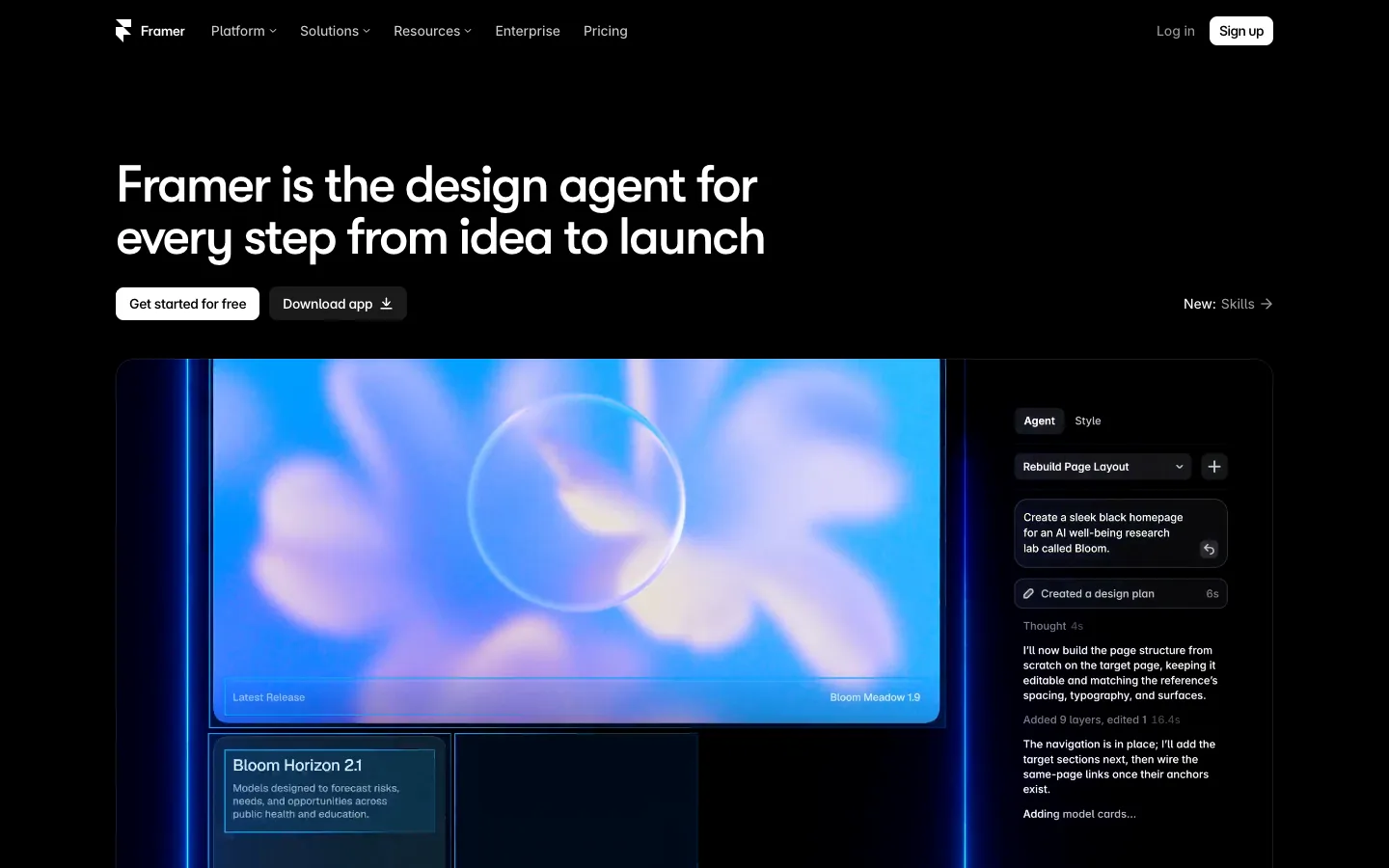
Steal this: when the product changes, the headline says so plainly: "Framer is the design agent". Where it slips: "Get started for free" and "Download app" look identical, so there is no primary action.
5. Mercury: input-capture with a trust line
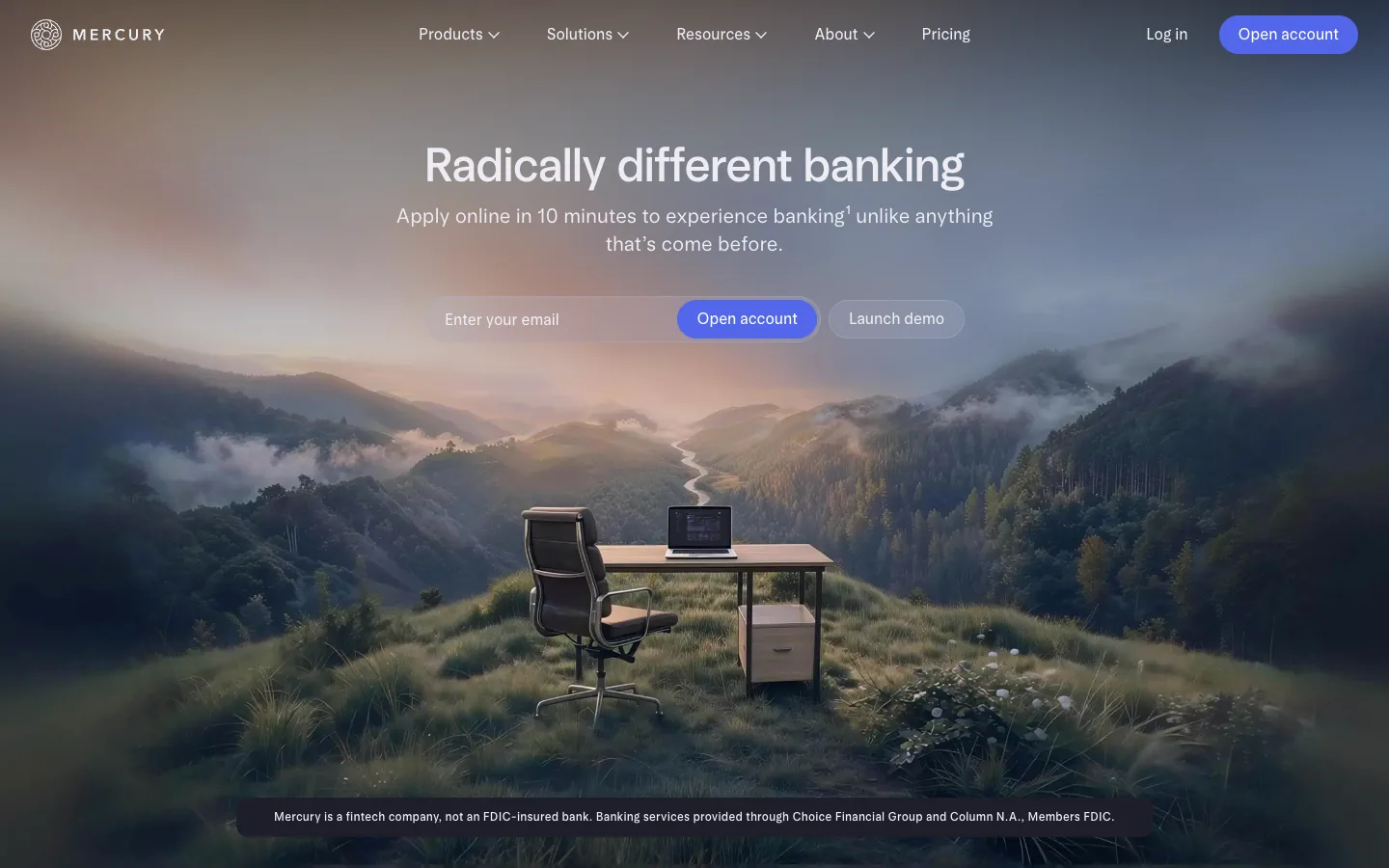
Steal this: the support line sets an expectation with a number, "apply online in 10 minutes". Where it slips: the desk-in-a-meadow photo is a mood, not the product, and it is the largest element on the screen.
6. Ramp: proof in the hero
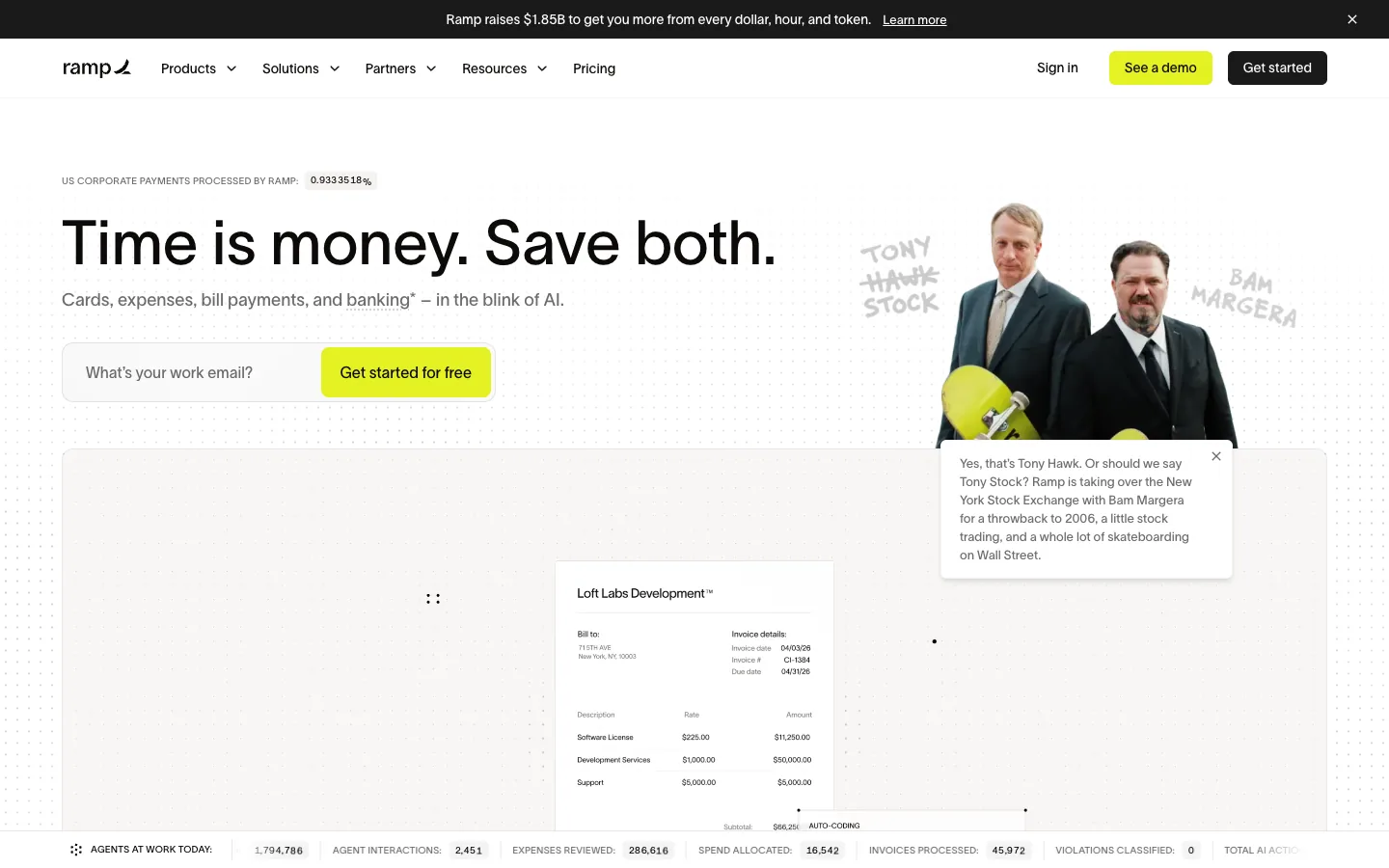
Steal this: the live counter above the headline and the stats strip at the bottom are proof you can watch move. Where it slips: a funding announcement banner, a celebrity photo with a chat bubble and the counters all compete; the hero has five things to look at.
7. Clay: illustration that still states the job
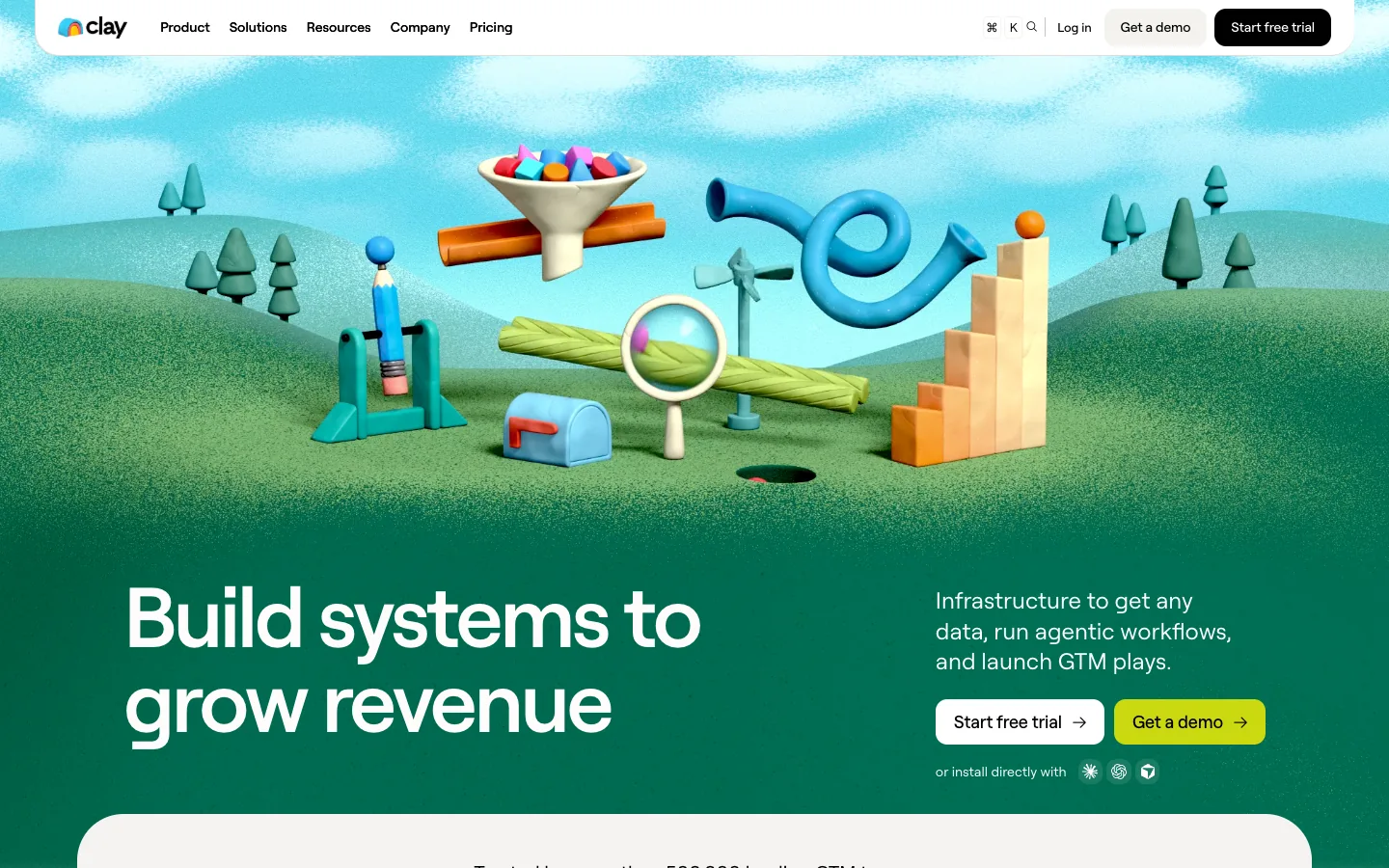
Steal this: the headline sits low, so the illustration never pushes the action off the first screen. Where it slips: at 375px the scene fills the viewport and the headline arrives on the second screen.
8. ElevenLabs: three audiences, one hero
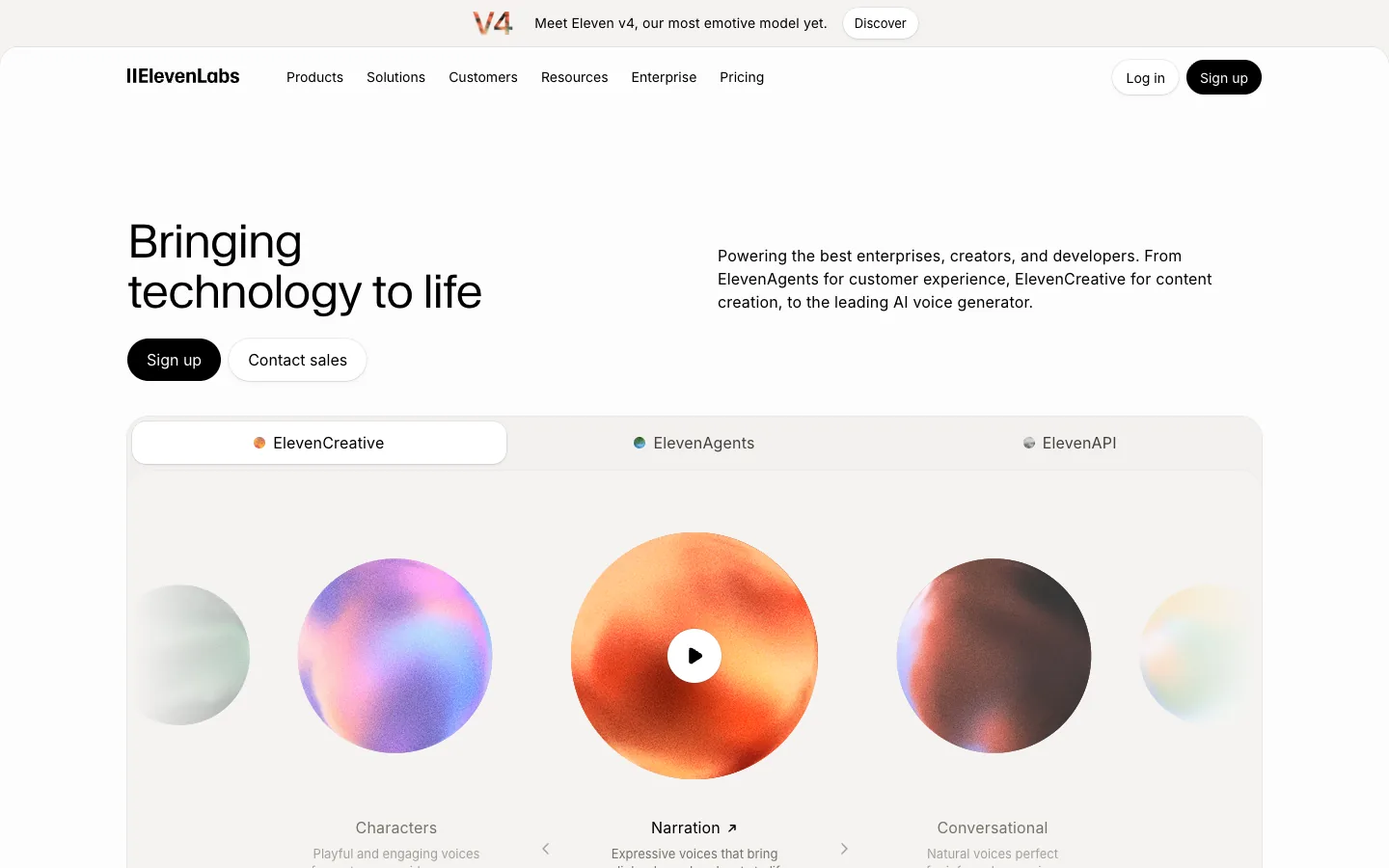
Steal this: the visual is playable product output, the one thing a voice company should show. Where it slips: the headline could belong to any technology company; the support line carries all the meaning.
9. Retool: a timely headline
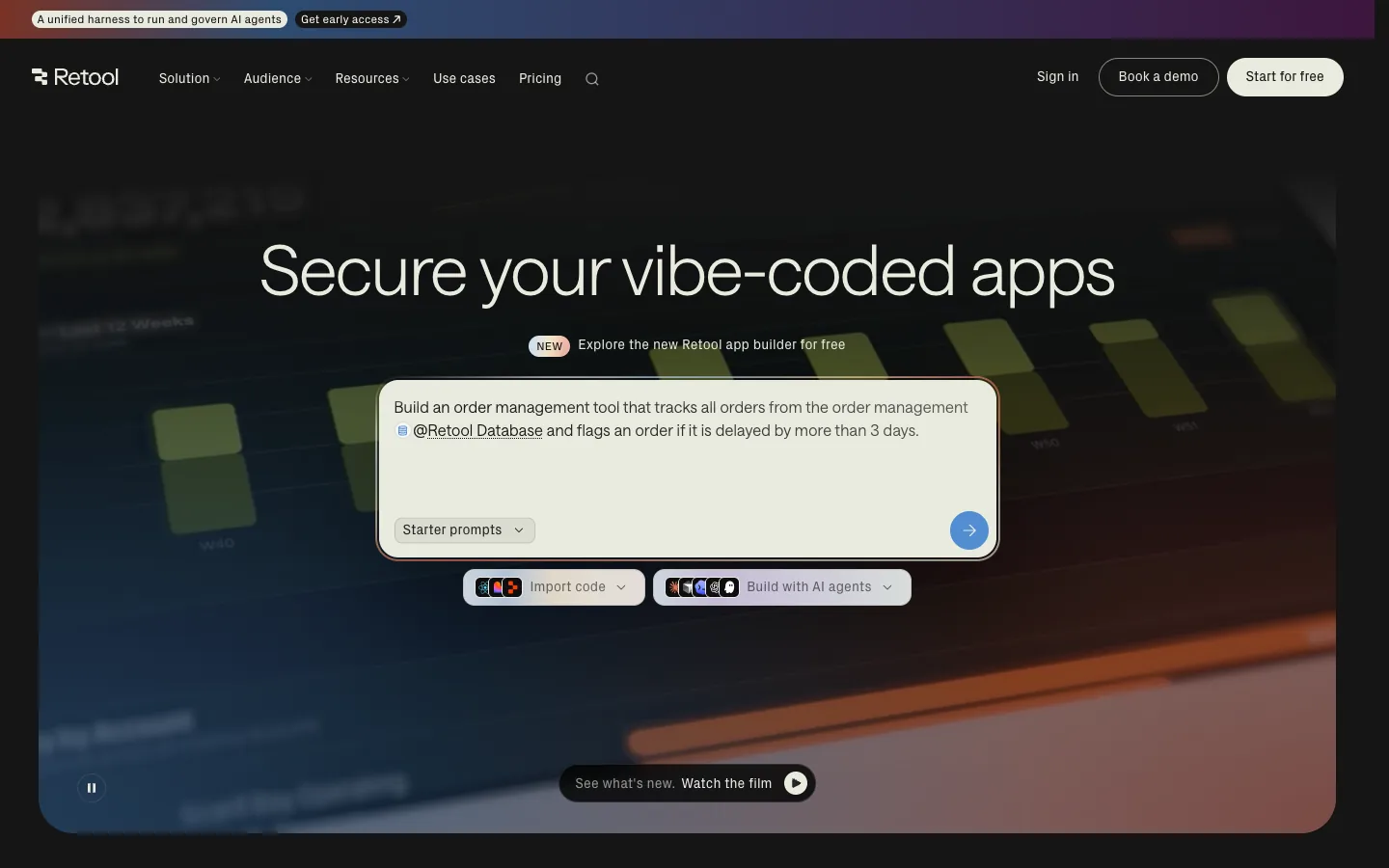
Steal this: "Secure your vibe-coded apps" speaks to this year's pain in five words. Where it slips: the prompt box and the Book a demo and Start free buttons give three first steps.
Not sure your hero says what you do?
Send us your homepage. We will rewrite the headline, support line and button copy for free and show the before and after on desktop and phone.
10. Loom: consumer SaaS with a video
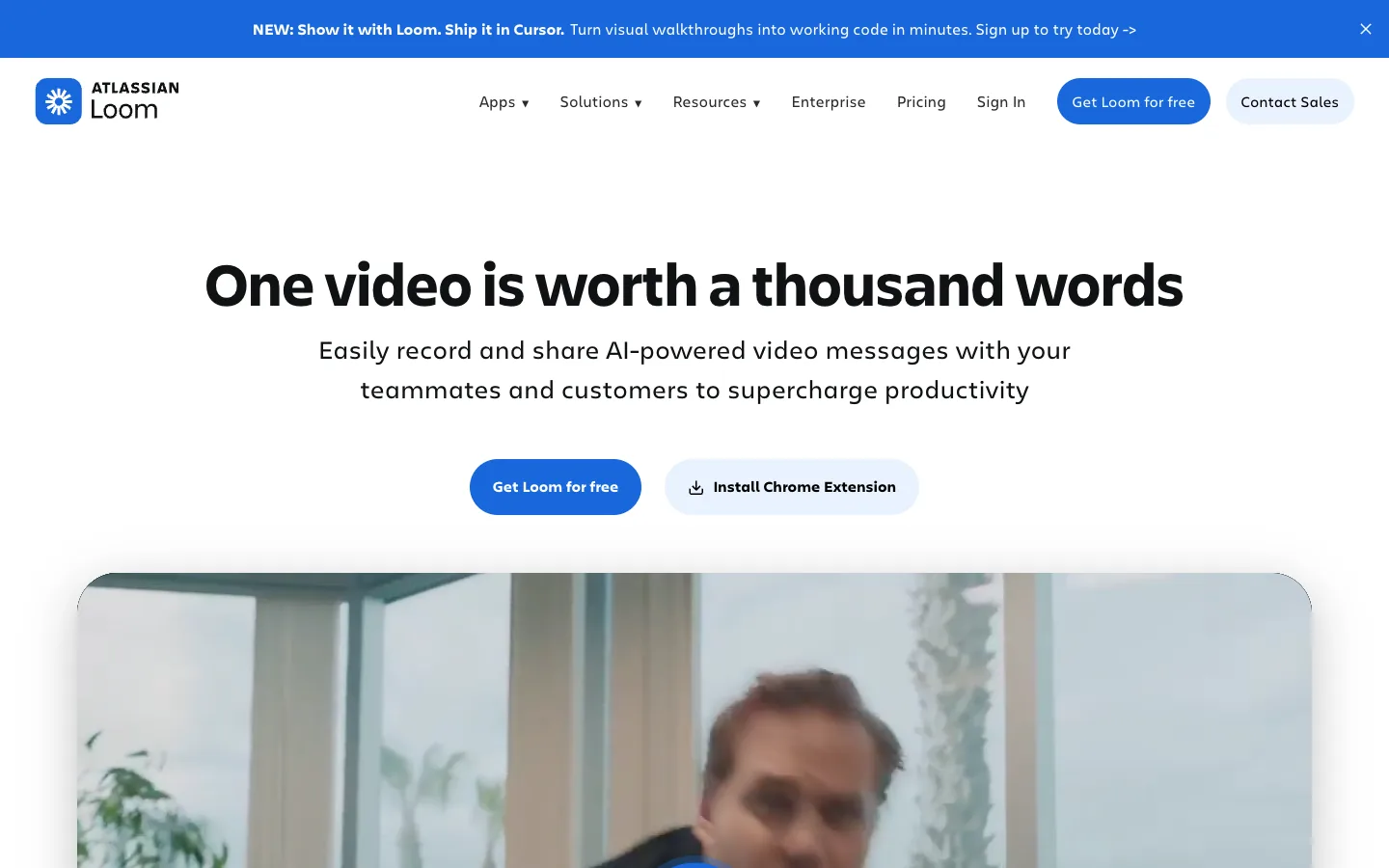
Steal this: the second button is the Chrome extension, which is how most people actually start. Where it slips: on a phone an app-download prompt covers the button on first load.
11. Perplexity: the product is the hero
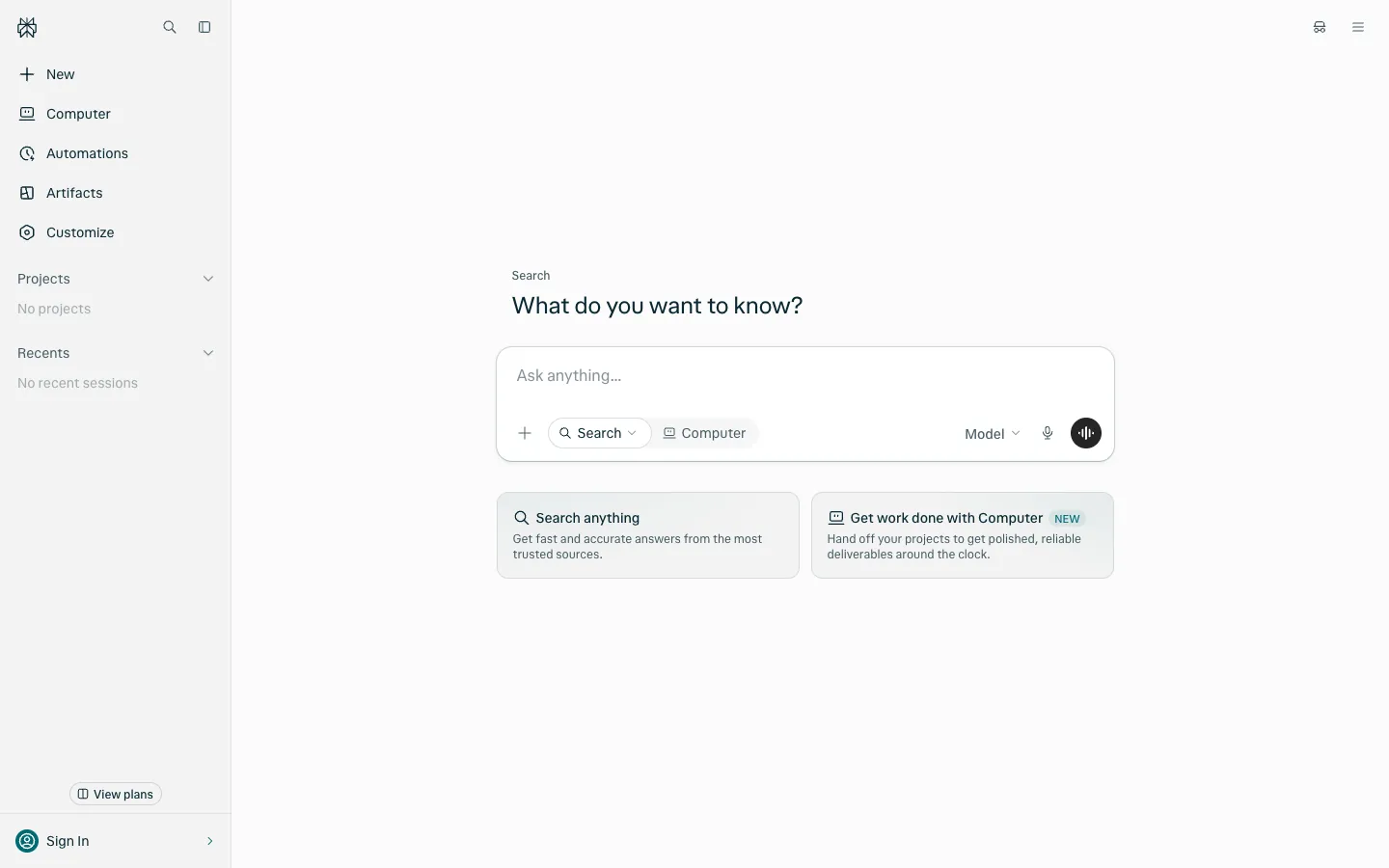
Steal this: when the product is one input, make the input the hero. Where it slips: nothing explains what the product is for a visitor who has not heard of it, which is a bet only a known brand can make.
12. CRED: the brand statement

Steal this: the QR code is the right action for an app-only product viewed on a desktop. Where it slips: the headline is positioning, not description; the support line is the only place the product is explained.
13. Postman: the developer split
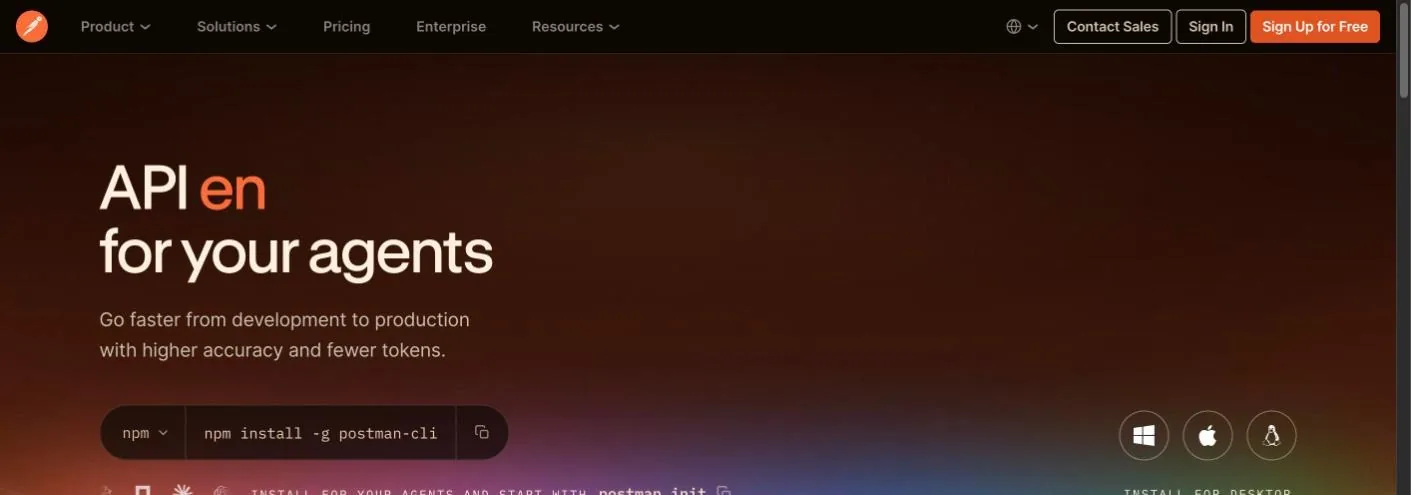
Steal this: a copyable install command as the button, which is what a developer wants. Where it slips: the headline animates word by word, so a screenshot or a slow connection catches it half-written, and a privacy settings dialog opens on top of the hero on first visit.
14. Chargebee: proof under the headline
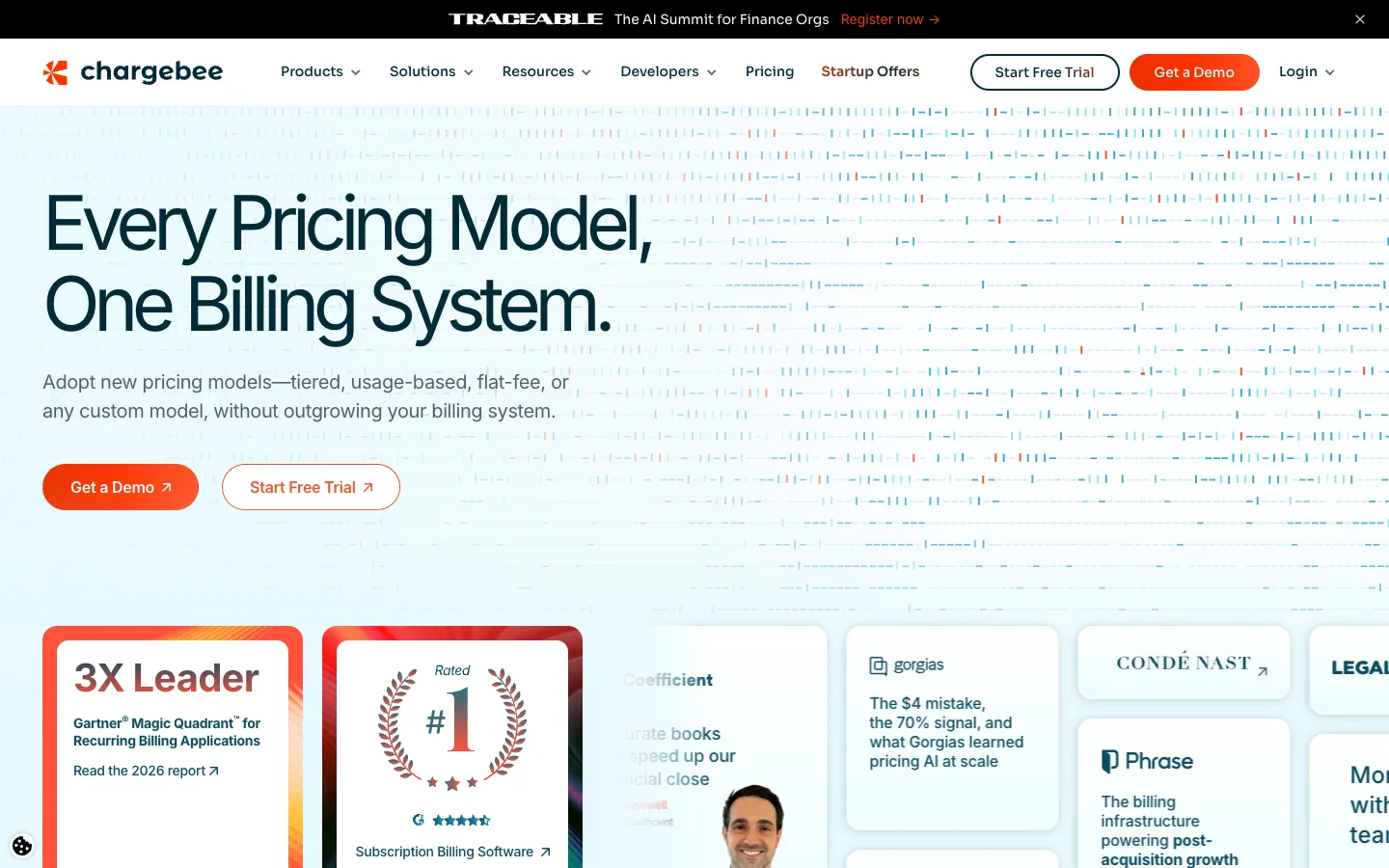
Steal this: analyst and review badges sit inside the first screen, not three scrolls down. Where it slips: Get a Demo and Start Free Trial have equal weight, and an event banner takes the top strip.
15. Groww: the consumer app hero

Steal this: the live market ticker makes a static page feel current. Where it slips: the illustration says nothing about investing; a product screen would do more.
16. Superhuman and 17. Attio: the split and the statement
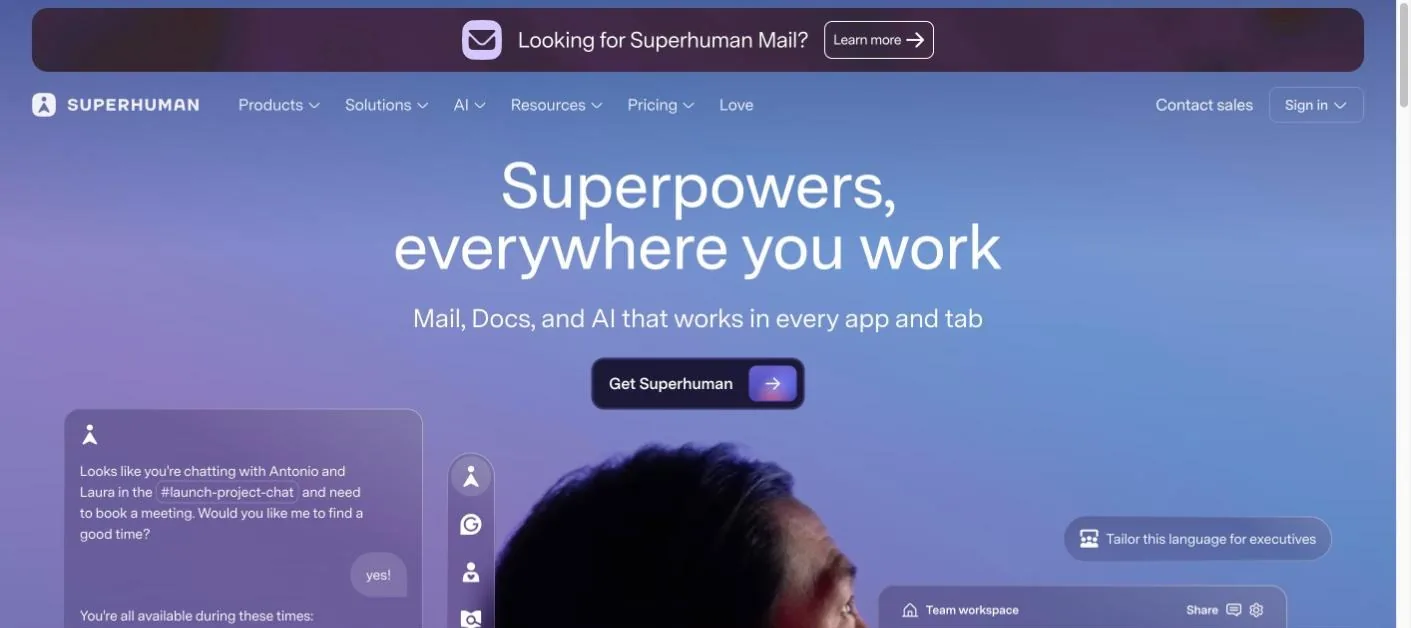
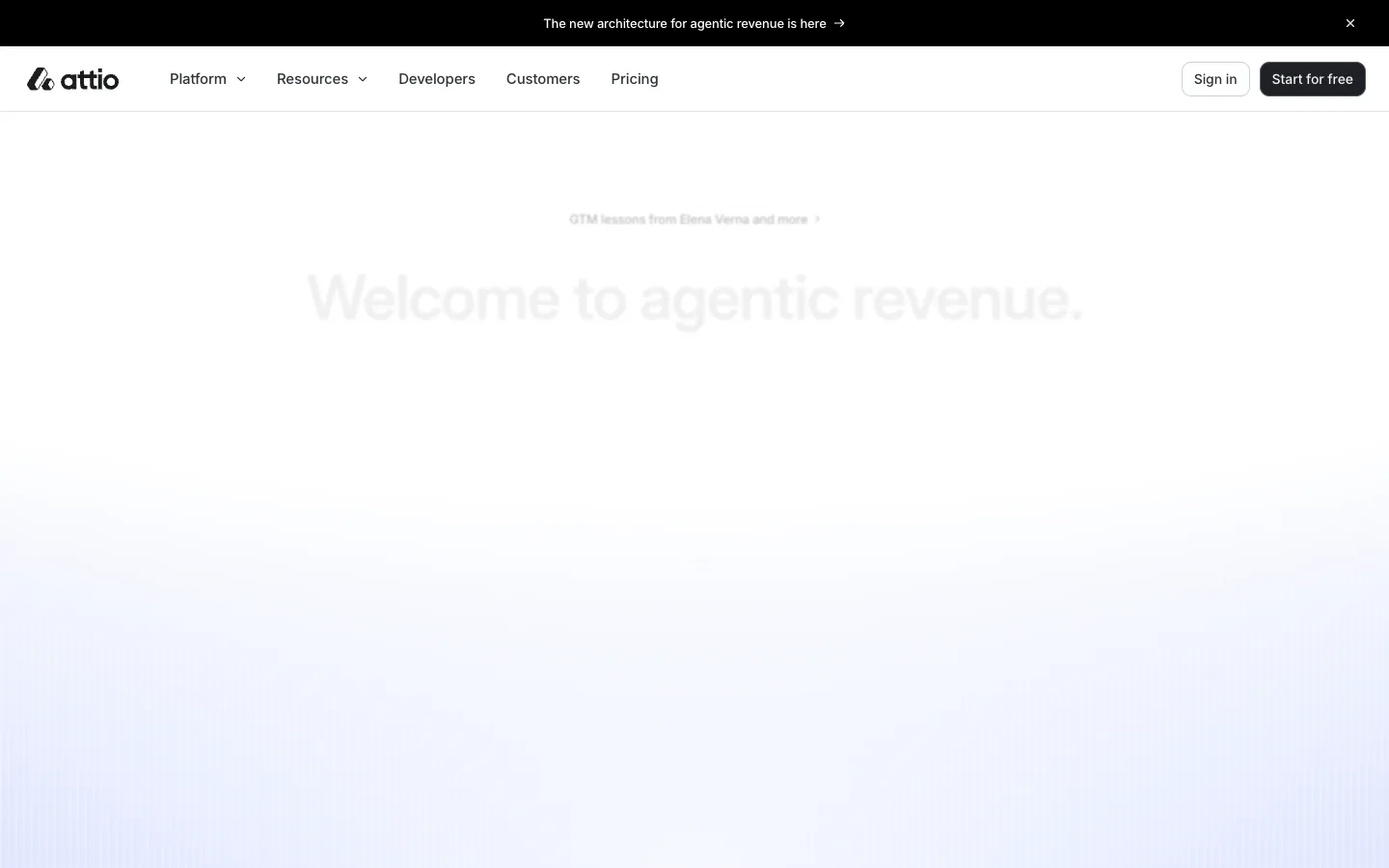
Superhuman's hero rotates its headline between loads (we saw "Superpowers, everywhere you work", a Docs launch and a Superhuman Go pitch in three visits), with one button and the product UI below. Steal this: a "looking for the old product?" line at the top, which stops returning users getting lost. Where it slips: a cookie banner covers the lower third on first load. Attio goes the other way, a near-empty screen with a fading statement, "Welcome to agentic revenue", which looks confident on a desktop and, at 375px, leaves the first screen almost blank until the animation finishes.
Hero section design rules, with the reasons
- Say what the product is in the headline, not a slogan. NN/g's First Impressions Matter describes judgments forming in about 50 milliseconds and rarely being revised, so the first read must carry the meaning.
- One primary action, visually dominant. Two equal buttons split attention; Framer and Chargebee above show the cost.
- Do not let a big image outrank the action. NN/g's Image-Focused Design found that emphasising one large element makes users less likely to notice others, including the button.
- No carousels. NN/g's carousel research shows rotating content is largely ignored and frustrates users; none of the seventeen heroes above rotate, which is not a coincidence.
- Keep headline contrast at 4.5:1 over any image or video, with a scrim if needed. WCAG 2.2 SC 1.4.3.
- Respect reduced-motion settings and give a pause control for anything moving longer than five seconds. WCAG 2.2 SC 2.2.2 and 2.3.3.
- Make the hero visual the Largest Contentful Paint element and preload it. web.dev sets 2.5 seconds as the good threshold, and hero images are the most common LCP element.
- Design the 375px version first. Stack headline, support line, button, visual in that order and cap the headline at three lines so the action stays on the first screen.
Writing the headline and the button
The formula we use on client sites: headline states the outcome or the category, support line states how and for whom, button states the next step as a verb with an object ("Start free trial", "Download for Mac", "Get a demo"). Avoid "Learn more" as the primary button; it promises nothing. Linear, Raycast and Retool above are the cleanest versions of the formula. For a worked example of conversion copy, see our ranking of 100 startup landing pages, which scored heroes on clarity and action.
Want your hero rebuilt and measured?
We redesign the first screen in Webflow, set up the A/B test, and report the change in sign-ups. Get a free scope for a hero redesign.
Performance and accessibility checks before a hero ships
- Lighthouse on the homepage template: LCP within 2.5 seconds on mobile, no layout shift from late-loading fonts or images.
- The hero image served at the rendered size in WebP or AVIF, with width and height set and the preload tag in the head.
- Headline and button text readable over the visual at 4.5:1, checked with a contrast tool, not by eye.
- Any video or animation pausable, and off when the visitor has reduced motion set.
- At 375 wide: headline, support line and button all visible without scrolling; no banner, cookie dialog or app prompt covering the button.
- The H1 is the headline and contains the phrase people search for, naturally.
Those six checks catch most of the slips listed above. The rest of the page matters too: our guides to footer design and the best UI websites cover the bottom and the middle, and website design for startups covers the whole first page for a new company.
Frequently asked questions
What is a hero section in a website?
It is the first screen a visitor sees, usually a headline, a short support line, one call to action and one visual. Its job is to say what the site is for, who it is for and what to do next before the visitor scrolls. It is not the header, which holds the navigation and sits above it.
What should a hero section include?
Four things: a headline that states the outcome or category, a support line that explains how and for whom, one primary button, and one supporting visual such as a product shot. Logos, a rating or a short proof line can sit beneath. Anything else competes with the action and belongs further down the page.
How tall should a hero section be?
Tall enough to fit the four parts, not a fixed full viewport. Full-height heroes often push the button below the first screen on laptops and phones. Measure at 1440 and 375 wide and make sure the headline, support line and button are all visible without scrolling on both.
Should a hero section have a video background?
Only if the video shows the product and the text still reads over it with a scrim. Looping background video raises page weight, delays the largest contentful paint, and needs a pause control and a reduced-motion fallback. A static product image with a play option usually converts as well with fewer risks.
Is a hero section good for SEO?
Indirectly. The headline is normally the H1, so it should contain the primary phrase naturally. The hero image is often the largest contentful paint element, so its size and preload affect Core Web Vitals. Clear copy also reduces bounces from visitors who landed on the wrong page, which search engines notice over time.
Make the First Screen Earn Its Place.
We design heroes that say what you do, show the product, and pass the speed and contrast checks on a phone. Get a free review of your homepage's first screen.




