


A website footer is the strip at the bottom of every page that holds the links, legal lines and contact details a visitor expects to find there. Good footer design does three jobs: it is the catch-all navigation for everything that did not fit the header, it carries the trust and legal information people scroll down to check, and it makes one last offer. This post shows sixteen footers we screenshotted ourselves on 16 October 2026, from Stripe and GOV.UK to Zerodha and Razorpay, with one decision to copy and one slip for each, then the rules behind them, with the reasons, and a 2026 list of what an Indian company's footer has to include.
What a website footer should include in 2026
| Must have | Why |
|---|---|
| Grouped links under short headings (Product, Company, Resources, Legal) | People scan columns, not walls; structure decides whether the footer gets read at all |
| Contact route: email, phone or a support link | The footer is where people look for contact when the header fails them |
| Privacy policy, terms, and a copyright line with the year | Expected by visitors, required by most platforms and regulators |
| Status, security or compliance line where relevant | SaaS and fintech buyers check for it before signing up |
| Social links, in one row | Expected, cheap, and better here than in the header |
| For Indian companies: registered office, CIN, grievance officer, regulator lines | Required or expected for payment, broking, lending and marketplace businesses |
| Leave out: keyword link blocks, fax numbers, a second full sitemap | They add noise, not value, and Google treats stuffed footer links as a link scheme |
The common "what to include" lists online still descend from a 2015 article, fax number included. The table above is what we actually ship in 2026, and the sixteen examples below are the evidence.
Website footer design examples worth copying
1. Stripe: the mega-footer with restraint

Steal this: four columns with plain headings and nothing else. No newsletter box, no social row competing with the links, and a locale selector at the very bottom. Where it slips: the first column runs to more than thirty products, which is fine for Stripe's audience and wrong for almost everyone else's.
2. Vercel: the developer footer with a status line
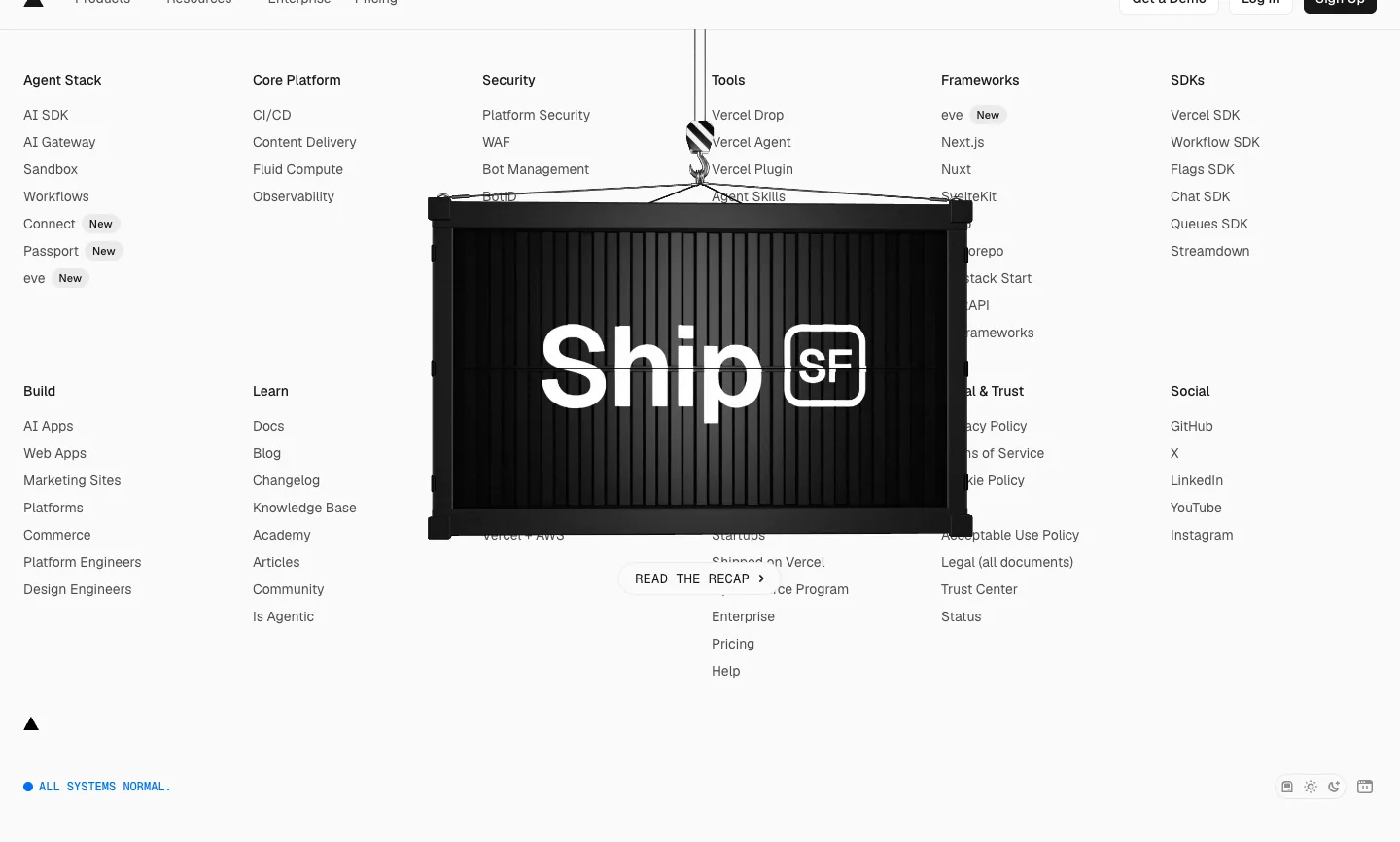
Steal this: the system status line and the theme switcher live in the footer, where developers expect them. Where it slips: on the day we captured it, a "Ship SF" event block floated over the middle columns and hid several links. A promo should sit above the footer, not on it.
3. Notion: the minimal brand footer
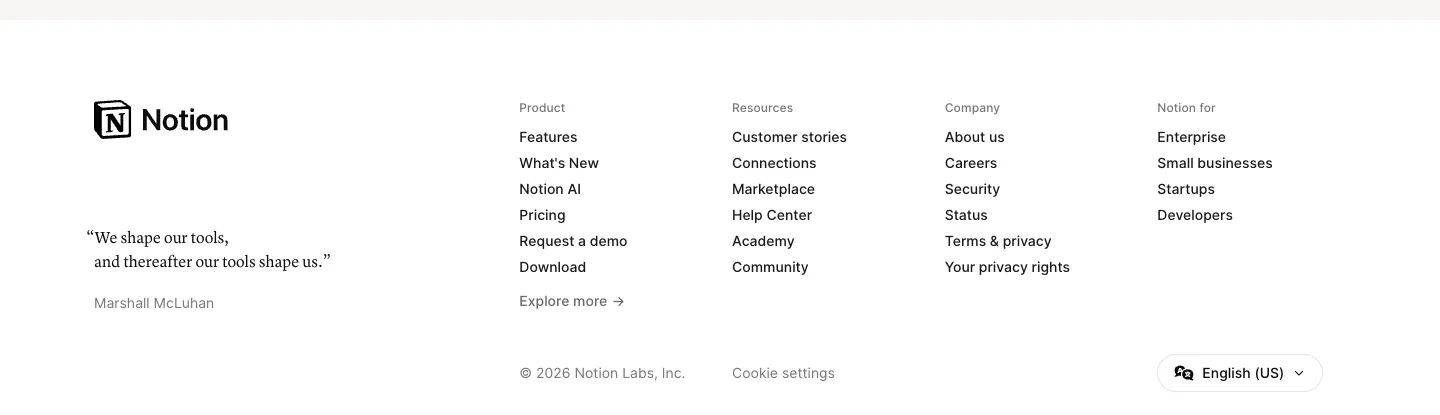
Steal this: the whole footer fits on one screen at 1440 wide, and a single line of brand voice (a McLuhan quote) does the personality work without an illustration. Where it slips: contact is absent; you go through Help Center or Community, which is a choice that suits Notion's scale and few others.
4. Webflow: the footer as SEO hub

Steal this: a "compare" column (Webflow vs Framer, vs Wix, vs WordPress) is the right place for comparison pages that convert late in the decision. Where it slips: it is long enough that the useful links (support, status) are two scrolls below the fold on a laptop.
5. Shopify: the platform footer with a locale row

Steal this: the bottom row does country, legal and social in one line, so the legal cluster never becomes a fifth column. Where it slips: seven social icons is a lot; two of them will be dead accounts within a year on most companies' sites.
6. Apple: the doormat after the fine print
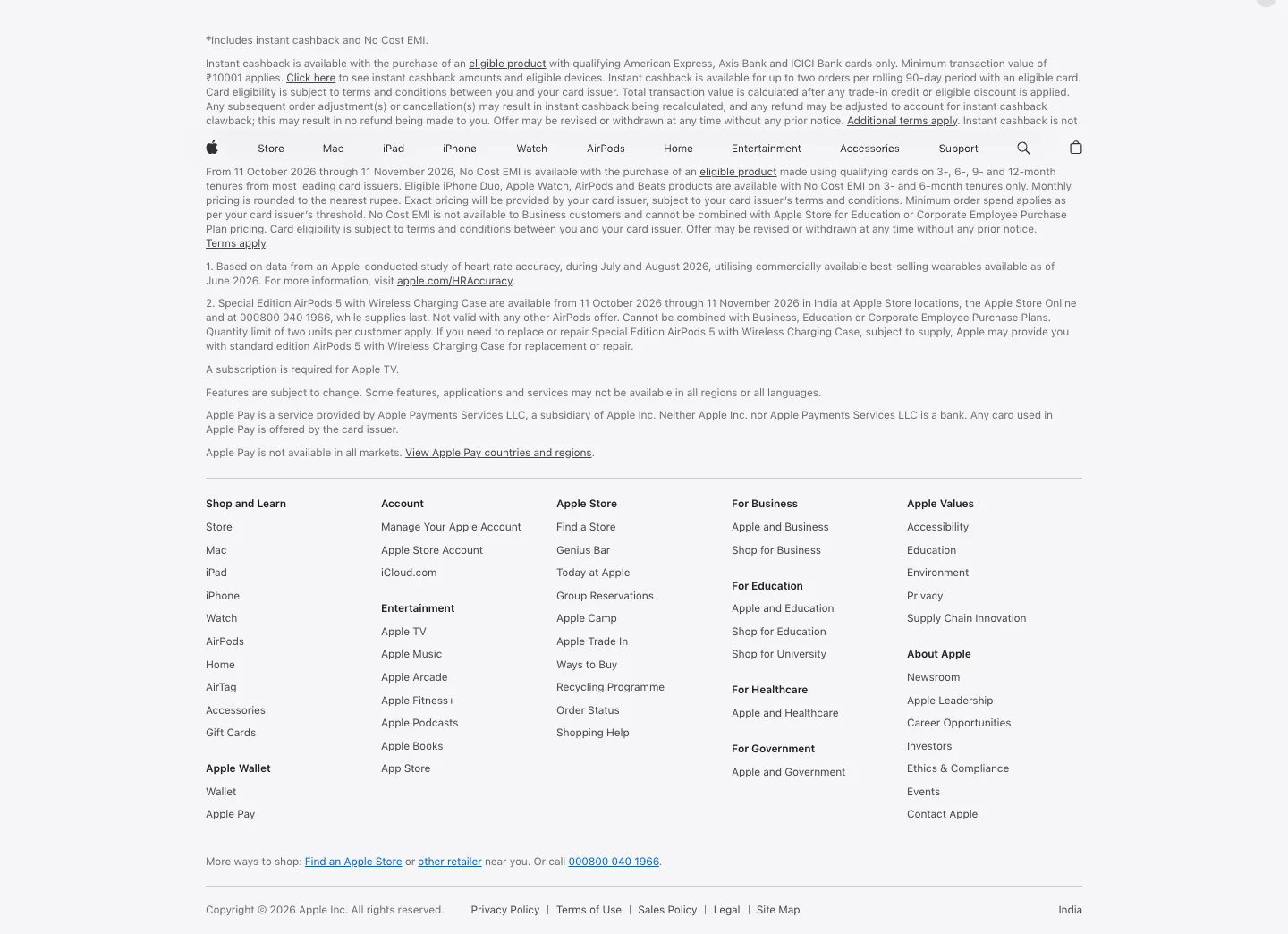
Steal this: the doormat columns are short and named for the visitor's task (Shop and Learn, Account, For Business). Where it slips: the fine print block above it is longer than the footer on the India site because every offer needs a disclaimer. Legal text belongs in the footer, but it should collapse or sit below the links, not above them.
7. Basecamp: the footer with a voice
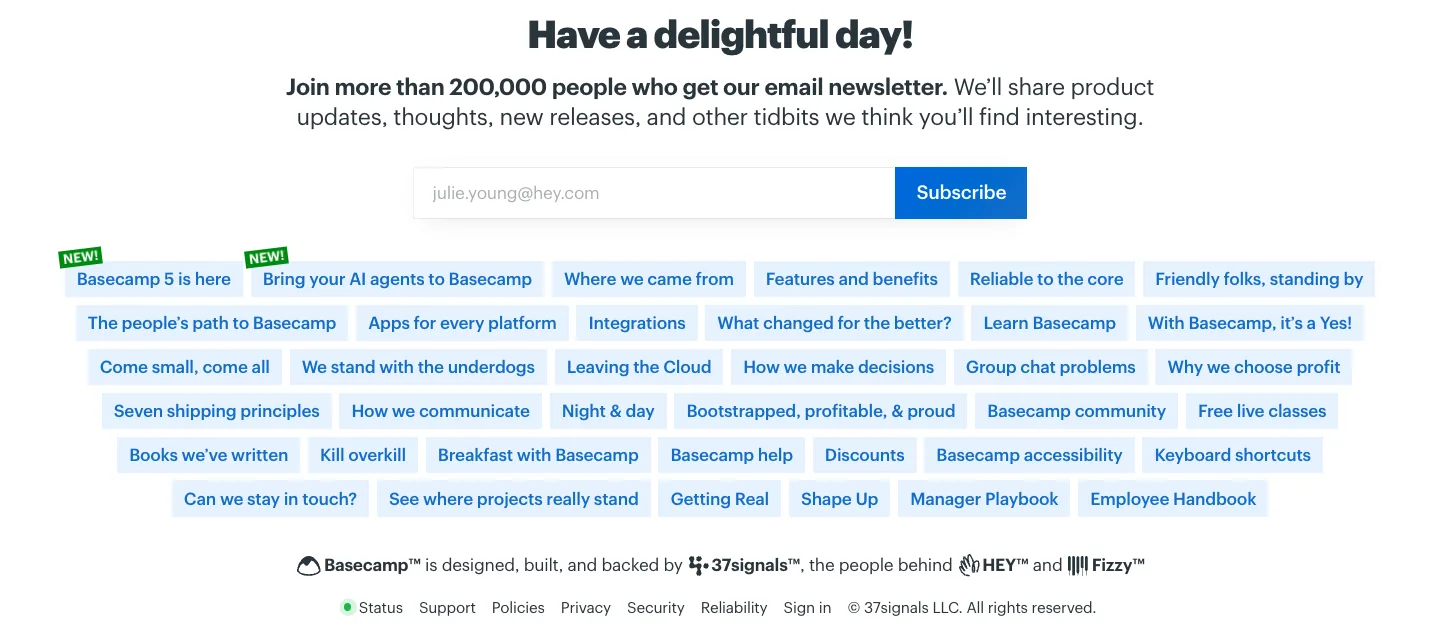
Steal this: the newsletter box states a number, "more than 200,000 people", which is the kind of proof most footers forget. Where it slips: the pill cloud has no grouping, so the Help, Discounts and Accessibility links are buried among manifesto pieces.
8. Monzo: the compliance-heavy footer done legibly

Steal this: the regulatory items (FSCS information, fraud protection, modern slavery statement) sit under a heading called Help and security, which is where a worried customer would look. Where it slips: a sticky sign-up bar covers the bottom of the footer, so the last rows of links are only reachable once you dismiss it.
Not sure what your footer is missing?
Send us your site. We will check the footer against this list and WCAG target sizes, free, and send back the three changes that matter most.
9. Supabase: trust badges first
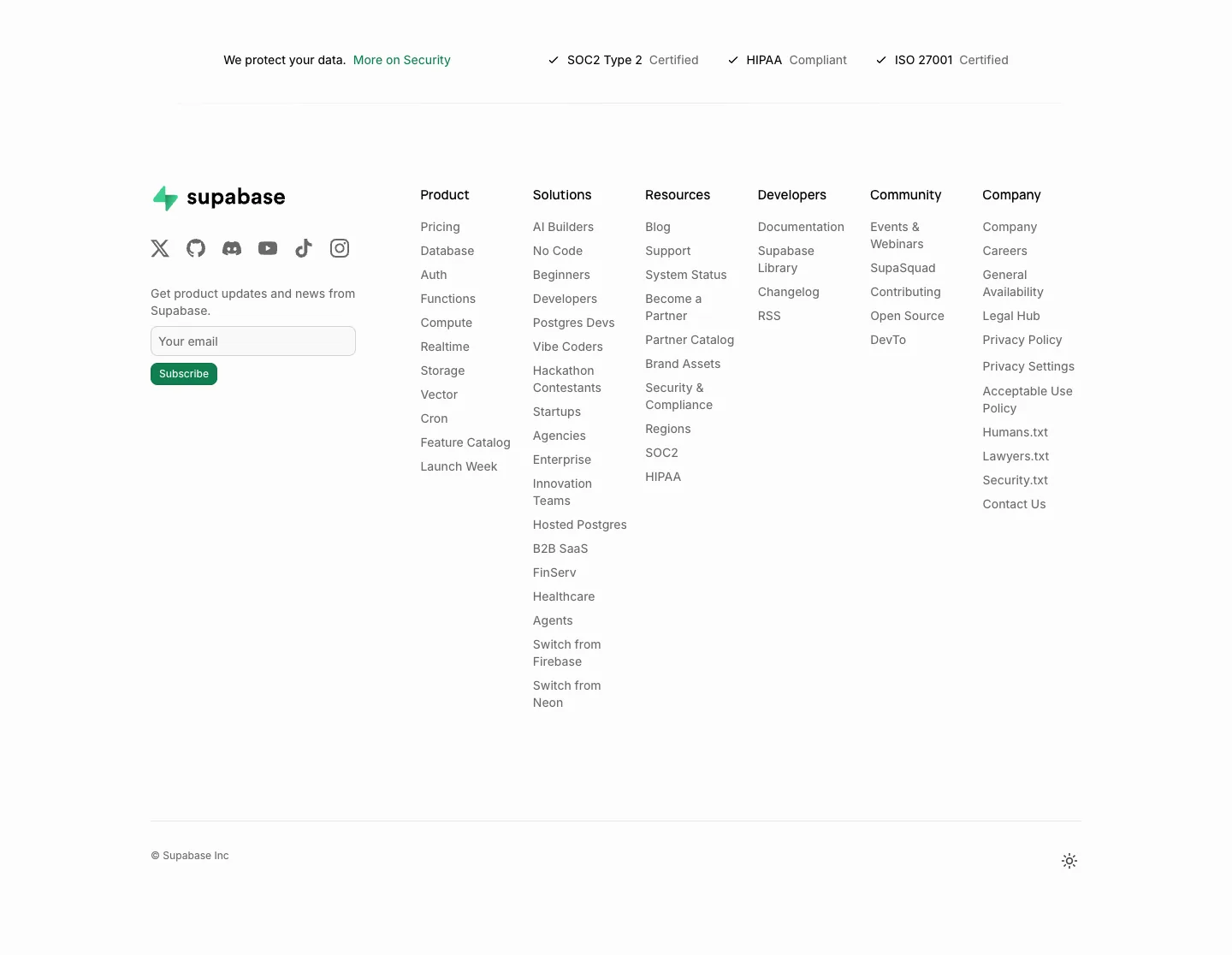
Steal this: compliance badges as the first row. For a database company that is the question every buyer has. Where it slips: the Solutions column lists fourteen audiences, which turns a navigation aid into a sitemap.
10. Resend: the minimal developer strip

Steal this: a physical address and a live status badge at the left, which does more for trust than a paragraph of copy. Where it slips: grey-on-black link text is close to the contrast floor; check it against WCAG's 4.5:1 before copying the palette.
11. Atlassian: the boxed enterprise footer

Steal this: "See all products" and "Create support ticket" as the last item of their columns, so the long tail is one click away without listing it. Where it slips: the reCAPTCHA badge floats over the legal row on every page.
12. GOV.UK: the accessibility reference

Steal this: every link is underlined and the text contrast is well above the minimum, which is why it is the footer accessibility auditors point at. Where it slips: nothing, for its job. It would be the wrong footer for a brand that needs personality, which is a different job.
13. Razorpay: the Indian fintech mega-footer

Steal this: the Free Tools column (GST calculator, GST number search, ROI calculator) turns the footer into a reason to come back, and the registered office, CIN and RBI authorisation line are exactly where Indian buyers look for them. Where it slips: three paragraphs of product description above the columns repeat the homepage; the footer is not the place to re-pitch.
14. Zoho: a fifty-product company's footer

Steal this: a Contact Sales column with a toll-free number and an email address in plain text, not behind a form. Where it slips: the footer does not list the products themselves; you have to go back up to the header menu, which is a strange gap for a company with this many.
15. Zerodha: the regulated broker footer

Steal this: the complaints email, the SCORES and SMARTODR links and the registered address are all plain text and all findable, which is what a regulator and a worried investor both need. Where it slips: the regulatory block is eight paragraphs of light grey small type; it meets the letter of the rules and few people will read it. A collapsible section with the same text would serve both.
16. Cal.com: proof and downloads in the footer

Steal this: download buttons for every platform in the footer, so the app install is never more than one scroll away. Where it slips: badges, mission statement, status, downloads and reviews all sit in the left column, which is a lot of proof before the first link.
Footer layout patterns and what each does on a phone
Every footer above is one of four patterns, and the pattern decides what happens at 375px.
- Fat footer (Stripe, Webflow, Supabase, Zoho): four to seven columns. On a phone the columns stack into a very long list; the fix is collapsible headings, which Shopify and Zoho use and Stripe does not.
- Doormat (Apple, Atlassian, GOV.UK): a compact grid of short columns. Stacks cleanly, usually within two screens.
- Minimal strip (Notion, Resend, Basecamp): one or two rows. Survives mobile untouched, which is the main argument for it.
- Compliance footer (Monzo, Razorpay, Zerodha): columns plus regulatory text. On a phone the text block becomes four screens of grey type; collapse it under a "Regulatory information" heading and keep the complaint links visible.
The honest mobile rule: whatever the pattern, the privacy link, the contact route and the copyright line must still be reachable without hunting, and every link needs a tap target of at least 24 by 24 CSS pixels with space between stacked links, per WCAG 2.2 Success Criterion 2.5.8.
Want your footer rebuilt in Webflow with these patterns?
We redesign footers as a component with collapsible mobile columns, the legal lines Indian sites need, and tracked links. Get a free quote for a footer refresh.
Footer design rules, with the reasons behind them
- Repeat contact, privacy and terms in the footer even if they are in the header. Nielsen Norman Group's Web Page Footers 101 found people treat the footer as a last resort for hard-to-find content and go there on purpose for contact and company details.
- Never hide the footer behind an accordion on desktop. Same research: people expect it to be there when they reach the bottom.
- Group links under short, specific headings. A footer with no structure gets either exhaustive scanning or none; columns of five to eight links read as lists, not walls.
- Keep tap targets at 24 by 24 CSS pixels minimum with spacing on mobile. WCAG 2.2 SC 2.5.8, Level AA.
- Meet 4.5:1 contrast for footer text. Muted grey on black is the most common failure we audit; WCAG 2.2 SC 1.4.3.
- Do not stuff keyword links. Google's spam policies treat link schemes and hidden text as violations, and sitewide footer links carry little weight anyway. Link to pages a person would open.
- Use the footer element with a nav landmark inside. MDN documents footer as the contentinfo landmark, which lets screen reader users jump straight to it.
- Design it to be scanned in seconds. NN/g's Scrolling and Attention study measured about 57 percent of viewing time above the fold; the footer gets glances, so headings and order do the work.
Two mistakes we still see on agency sites: a footer that is a second copy of the header menu with nothing added, and a footer that is all illustration and no address. The fix for both is the table at the top of this post. For the rest of the page, our guides to hero section design and 404 page design cover the top and the dead ends, and website design trends 2026 covers what is actually shipping.
Frequently asked questions
What is a footer on a website?
It is the strip at the bottom of every page that holds the links, legal lines and contact details a visitor expects to find there. It repeats on every page, so it works as a catch-all for navigation that did not fit the header and as the place people look for trust information such as the address, the privacy policy and support.
What should a website footer include?
At minimum: a short link set grouped under headings, contact details, privacy and terms links, a copyright line with the year, and social links. Add a newsletter or call to action if you have one. Indian companies in payments, broking or lending also need the registered office, CIN, grievance officer and regulator lines, so leave room for them.
Does the footer matter for SEO?
Yes, through crawlability and usefulness rather than keywords. Footer links help Google discover pages such as contact, policies and comparisons. Lists of exact-match keyword links do nothing useful and can look like a link scheme under Google's spam policies. Keep footer links to pages a person would actually open.
How many links should a footer have?
There is no fixed number. Group links in short columns of five to eight so each column reads as a list rather than a wall. Large companies such as Zoho and Stripe run many columns because each column is still scannable. A small business site usually needs one or two columns plus a legal row.
Should the footer be the same on every page?
Mostly yes. Consistency is what lets people rely on it. The exception is a page-specific block above the shared footer, such as a documentation site adding a local contents list or a product page adding related products, which keeps the global links in place while adding context.
Fix the Bottom of Every Page.
A footer is one component that ships on every page you have. We design and build it in Webflow with the legal lines, the contact route and the mobile behaviour right. Get a free audit of yours.




