

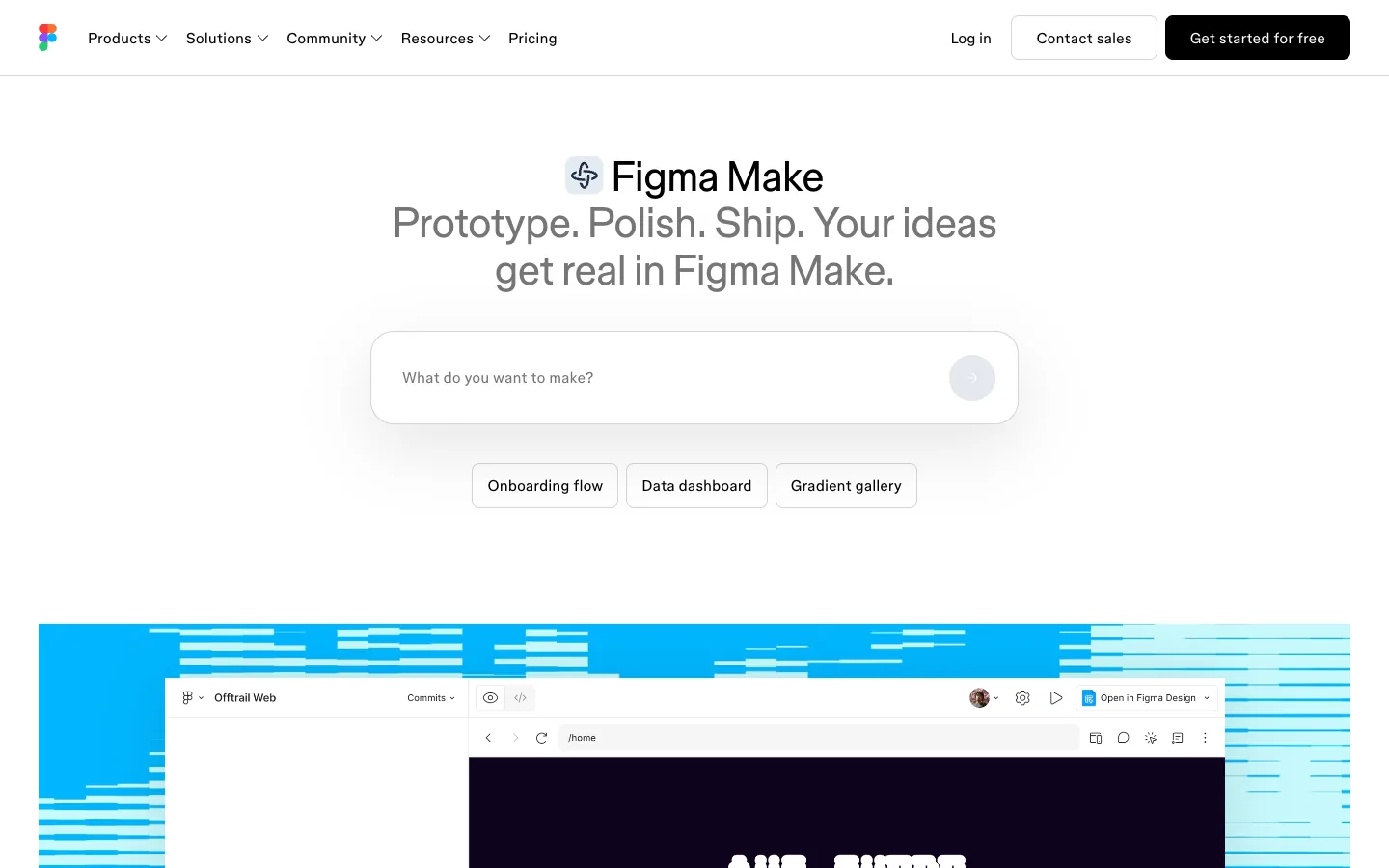
Figma Make is Figma's prompt-to-app tool: you describe what you want, or attach an existing Figma design, and it generates a working prototype or web app you can edit by pointing at elements or asking for changes in chat. It is available for Full seats on paid Figma plans and can be tried on other seats, it bills through the same AI credits as every other Figma AI feature, and it exports its code as a zip. That is the short answer to "what is Figma Make". The rest of this guide covers what it costs in practice, how to use it without burning credits, the three ways to get screens and code out of it, how it compares with Lovable and Claude Code, and where it sits in our agency workflow between a Figma design and a Webflow or coded build.
Figma Make at a glance
| Question | Answer (October 2026) |
|---|---|
| What it makes | Interactive prototypes and web apps from a prompt or a Figma design |
| Who can use it | Full seats on paid plans; other seats and Starter can try it |
| What it costs | Figma AI credits: 3,000 a month on a $16 Professional Full seat, 500 on Dev, Collab and Starter |
| Backend | Built-in CMS and backend powered by Payload; Supabase integration |
| Export | Copy preview as design layers; download code zip (Full or Dev seat); publish to a URL or your own domain |
| Code stack seen in exports | React with TypeScript, Tailwind CSS, Vite, one component per screen [secondary source] |
| Best for | Prototypes of designs you already own; internal tools; clickable pitches |
| Not for | Marketing sites that need a CMS, SEO control and hosting you own |
Prompt to prototype, from a design or from scratch
Figma's own definition, from the Guide to Figma Make, is an AI-driven, prompt-to-app tool that brings ideas and existing Figma designs to life as interactive apps. Two inputs, then. Start from a prompt and you get something generic but working in minutes. Start from a Figma frame and the output keeps your type, colour and layout, which is the reason to use Make rather than any other builder. Edits happen two ways: point at an element and change it directly, or describe the change and let the agent do it. Make kits let you add npm packages so the agent knows which components, tokens and styles to use, and templates are Make files published for teammates to remix.
Make vs Figma Sites vs Figma Design
Figma Design is where the design lives. Figma Sites publishes a designed page as a website. Figma Make turns a design or a prompt into an app with logic, state and now a backend. If you need a static marketing page from a design, Sites or Webflow. If you need a form that saves, a dashboard that filters, or a flow a client can click through with real data, Make.
What arrived since launch
Make launched at Config in May 2025 and most reviews still ranking date from that month. Since then, per figma.com/make and the pricing page: a built-in CMS and backend powered by Payload, Make kits, verified MCP connectors, custom skills, plan mode, version history, voice prompting, Make on mobile, and a Mac beta that edits your local codebase and commits changes as Git commits without consuming credits during the beta, per Figma's announcement. The 2025 reviews are describing a different product.
Who can use it and what it costs
Seats, Starter access and monthly AI credits
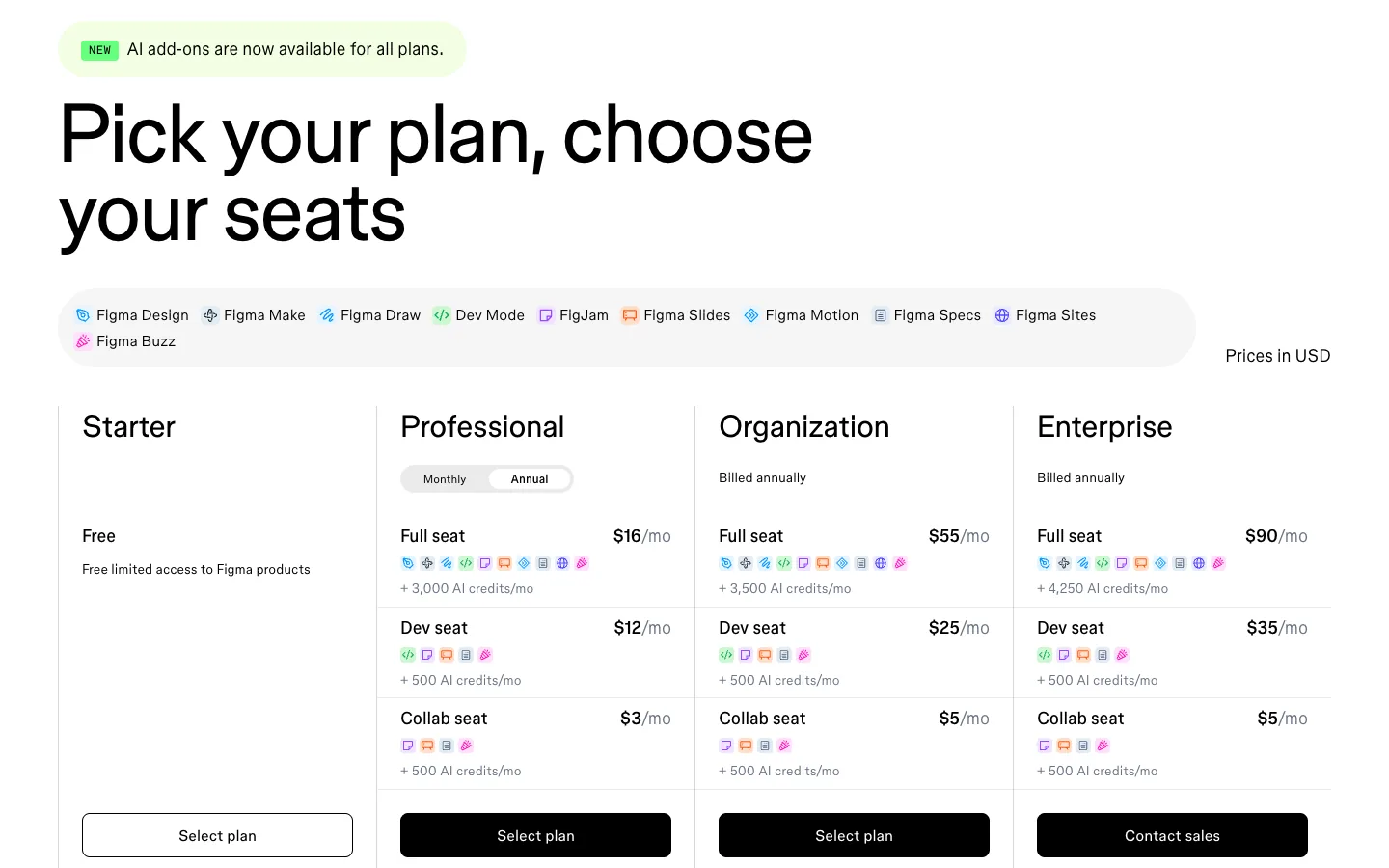
Make needs a Full seat on a paid plan for full editing. On the pricing page a Professional Full seat is $16 a month and includes 3,000 AI credits; Organization Full seats get 3,500 and Enterprise 4,250; Dev, Collab and View seats get 500; Starter users get 150 a day up to 500 a month. The credits are shared across every Figma AI feature, and the page says included amounts are subject to change. Dev seats can view and download Make code but not edit the Make, per the code editing article.
What a prompt costs in practice
Figma's credit article gives one concrete example: changing a font in Make costs about 30 or more credits, and when more than one model is available you can choose which to use. A tester's write-up (secondary, so treat as indicative) put a first prompt at about 54 credits, an image edit at 90 and a new screen at 56. On 3,000 credits that is roughly forty to fifty meaningful prompts a month if you do nothing else with Figma AI. Figma's seven credit tips are worth following: make the first prompt carry the brief, prefer manual edits for small changes, turn repeated instructions into rules, reuse kits and templates, and pick the cheaper model when the task is simple.
Have a Figma design and want to see it working?
Send us the file link. We will build a free Make prototype of one flow and tell you honestly whether it should go to Webflow, code or stay a prototype.
How to use Figma Make, and how to get screens and code out
Step by step
- Attach the design, or write the brief. Select the frames that matter and start a Make from them, or write one prompt that states the audience, the screens, the data and the one thing the app must not do.
- Let the first prompt do the heavy lifting. One detailed prompt costs less than six vague ones. Include the component names and tokens you want reused.
- Point and edit for small changes. Spacing, copy and colour changes by hand cost nothing; the same change by prompt costs credits.
- Add a backend when the flow needs state. The Payload-powered backend or the Supabase integration gives you a database, auth and an admin panel without leaving Make.
- Use kits, guidelines and plan mode on anything bigger than a screen. A Make kit tells the agent which design system to obey; plan mode makes it outline before it builds.
- Test in preview, then publish or export.
Three ways to export screens from Figma Make
This is the question with no good answer anywhere else on the SERP, so here it is plainly, from Figma's guide and code article:
- Copy a preview as design layers. In Make, copy a snapshot of the preview and paste it into Figma Design. The screen becomes editable layers, which is how a Make iteration goes back into the design file.
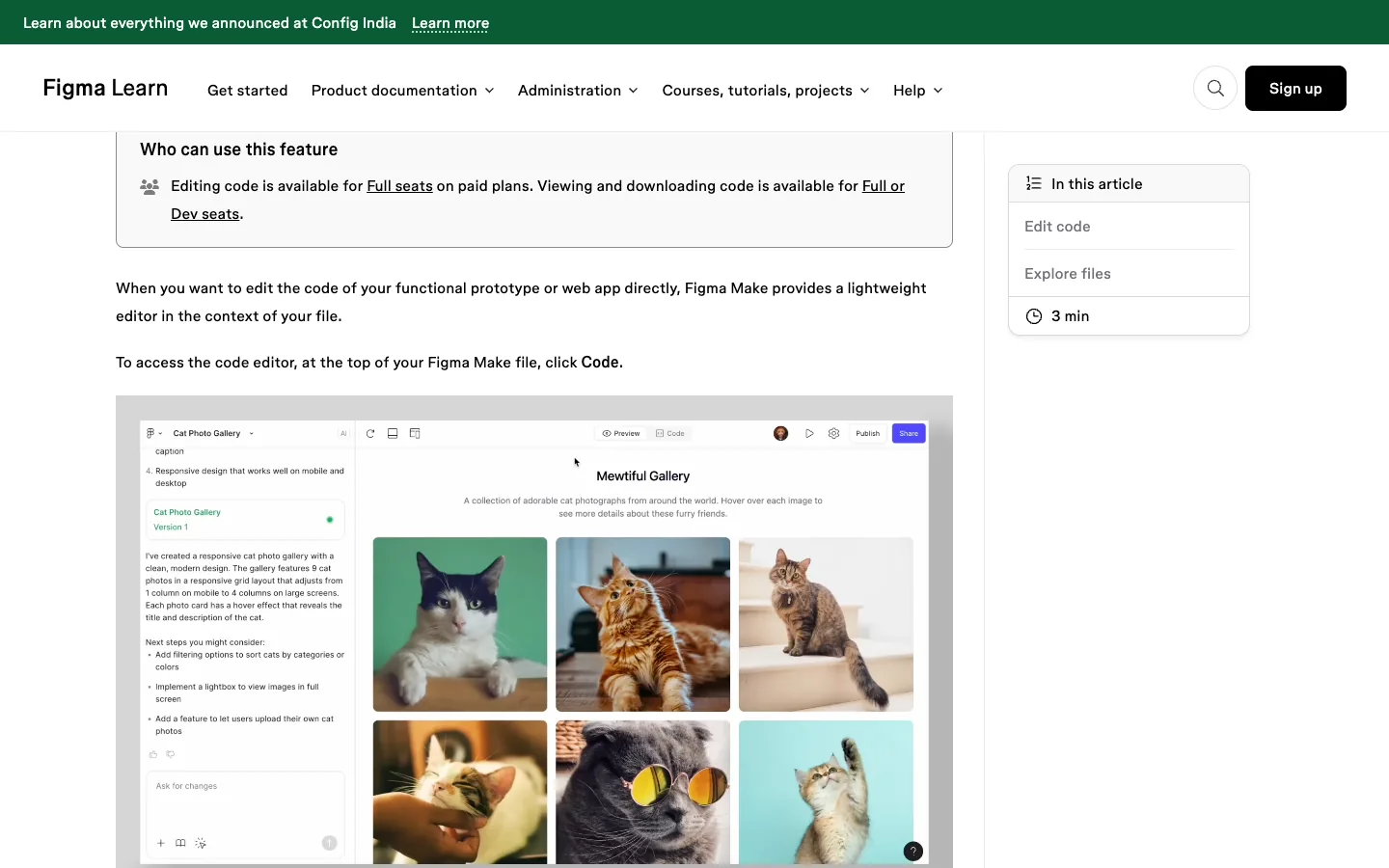
- Download the code. Open the code editor and click Download code to get a zip of every file. Available on Full or Dev seats; editing the code needs a Full seat on a paid plan.
- Publish. Publish the app to a dedicated URL for your organisation or live for anyone, and assign a custom domain you own. The local-codebase beta adds a fourth route: changes land as Git commits in your own repository.
Figma Make vs Lovable vs Claude Code, and where Make fits for an agency
Make vs Lovable
Make starts from your Figma design and bills through Figma credits on a $16 seat. Lovable starts from a prompt, sells credit tiers from $25 a month, and gates code download and custom domains behind paid plans, per Lovable's plans page. If the design already exists in Figma, Make keeps it; Lovable will reinterpret it. If there is no design, Lovable's hosted app with auth and database is the faster route to something real. Our ranking of vibe coding tools compares both against eight others.
Make vs Claude Code
Different jobs. Make is for the prototype. Claude Code is for the build: it reads the Figma file through the Figma MCP server and writes the production site in Webflow or a repository you own. A Make export is a starting point for that build, not the finished product, and the local-codebase beta is Figma's own acknowledgement that the code eventually has to live in a real repo.
Where Make fits in our workflow, and the verdict
Our sequence on a client project is design in Figma, prototype one or two flows in Make so the client clicks before we build, then build the marketing site in Webflow and any app in a Next.js repository with Claude Code, carrying the design context across with the Figma MCP. Make has replaced the week of clickable-prototype work we used to do by hand, and it has not replaced the build. The verdict: worth the Full seat if your team already lives in Figma; not a reason to buy Figma if it does not. Our guide to the website development process in 2026 shows the whole chain, and Figma to Webflow covers the handoff that follows.
Prototype approved and ready for the real build?
We turn Make prototypes into Webflow sites and production apps, with the design kept intact. Get a free scope with timeline and price.
Frequently asked questions
What is Figma Make?
Figma Make is Figma's prompt-to-app tool. You describe an app or attach an existing Figma design, and an agent generates a working prototype or web app that you edit by pointing at elements or chatting. It can add a backend, publish to a URL or a custom domain, and export its code as a zip.
Is Figma Make free?
Partly. Starter users get 150 AI credits a day up to 500 a month and can try Make. Full editing needs a Full seat on a paid plan, which is $16 a month on Professional with 3,000 credits. Dev and Collab seats get 500 credits and can view or download code but not edit a Make. Extra credits are sold pay-as-you-go.
How do I export screens from Figma Make?
Three routes: copy a snapshot of the preview as layers and paste it into Figma Design; open the code editor and click Download code for a zip of every file on a Full or Dev seat; or publish the app to a dedicated URL or a domain you own. The local-codebase beta also pushes changes as Git commits.
Figma Make vs Lovable: which is better?
Make when the design already exists in Figma, because it keeps your layout and tokens and bills through a $16 seat's credits. Lovable when you are starting from a prompt and want a standalone app with its own hosting, database and auth, on credit tiers from $25 with downloads and domains on paid plans.
Can Figma Make replace a Webflow or coded build?
For a prototype or an internal tool, yes. For a client marketing site you need a CMS, SEO control and hosting you own, which is why we move Make prototypes into Webflow or a Next.js repository with Claude Code, carrying the design context across through the Figma MCP server.
From Figma to a Site That Ships.
Design in Figma, prototype in Make, build in Webflow or code with us. Get a free scope for your project with the steps, timeline and price.




