

Vibe coding tools turn a typed description into a working app or site, and in 2026 there are ten of them worth your time. The question nobody answers well is the one that matters when the prototype works: can you take the code with you, who hosts it, and can you put it on your own domain? This ranking answers that for every tool, with October 2026 prices from each vendor's own page, short head-to-head verdicts for the pairs people search for, and an honest note on when to stop vibe coding and build the thing properly. If you want the vocabulary first, read what vibe coding is.
The tools compared on export, hosting and custom domains
| Tool | Code export | Custom domain | Entry price (USD, monthly) |
|---|---|---|---|
| Lovable | 🟡 Git sync on all plans, download on paid | 🟡 Paid plans only | Free; Pro from $25 |
| Bolt.new | ✅ Zip export on Free | 🟡 Pro and up | Free; Pro $25 |
| v0 by Vercel | ✅ Export or GitHub on Free | ✅ Via Vercel deploy | Free; Plus $30 |
| Replit Agent | 🟡 Through GitHub | ✅ Bring your own domain | Core $20 |
| Figma Make | ✅ Zip on Full or Dev seats | ✅ Assign a domain you own | Starter free; Full seat $16 |
| Google AI Studio Build | ✅ Zip or GitHub | 🟡 Via Cloud Run deploy | Free to build; Cloud Run usage |
| Base44 | 🟡 GitHub on Builder and up | ✅ Starter and up, free domain year | Free; Starter $16 |
| Emergent | 🟡 GitHub integration | ❌ Not listed | Free; Standard $20 |
| Hostinger AI Builder | ✅ Code editor and export | ✅ Free domain for a year | $2.99 intro |
| Webflow AI | ❌ Stays in Webflow | ✅ Any Webflow site plan | Webflow site plans |
Every cell above is from the vendor's pricing or docs page on 16 October 2026, linked in the entries below. Plans change often; the pattern changes slowly.
What vibe coding tools are and where they fit
A vibe coding tool is a chat window attached to a code generator and, usually, a hosting account. You describe the app, it writes the code, previews it, and lets you ask for changes in plain language. Some, like Lovable and Base44, also provision a database and auth so the result is a complete product. Others, like v0 and Bolt, hand you a repository and expect you to own it.
They fit three jobs well: a prototype a client can click before you spend design time, an internal tool nobody will maintain for long, and a first version of a product to test demand. They fit one job badly: a marketing site that has to rank, load fast and be edited by a non-developer for three years. That is what Webflow and a proper CMS are for, and most of the tools below say so themselves by exporting code rather than hosting it forever.
The ten tools, ranked
1. Lovable
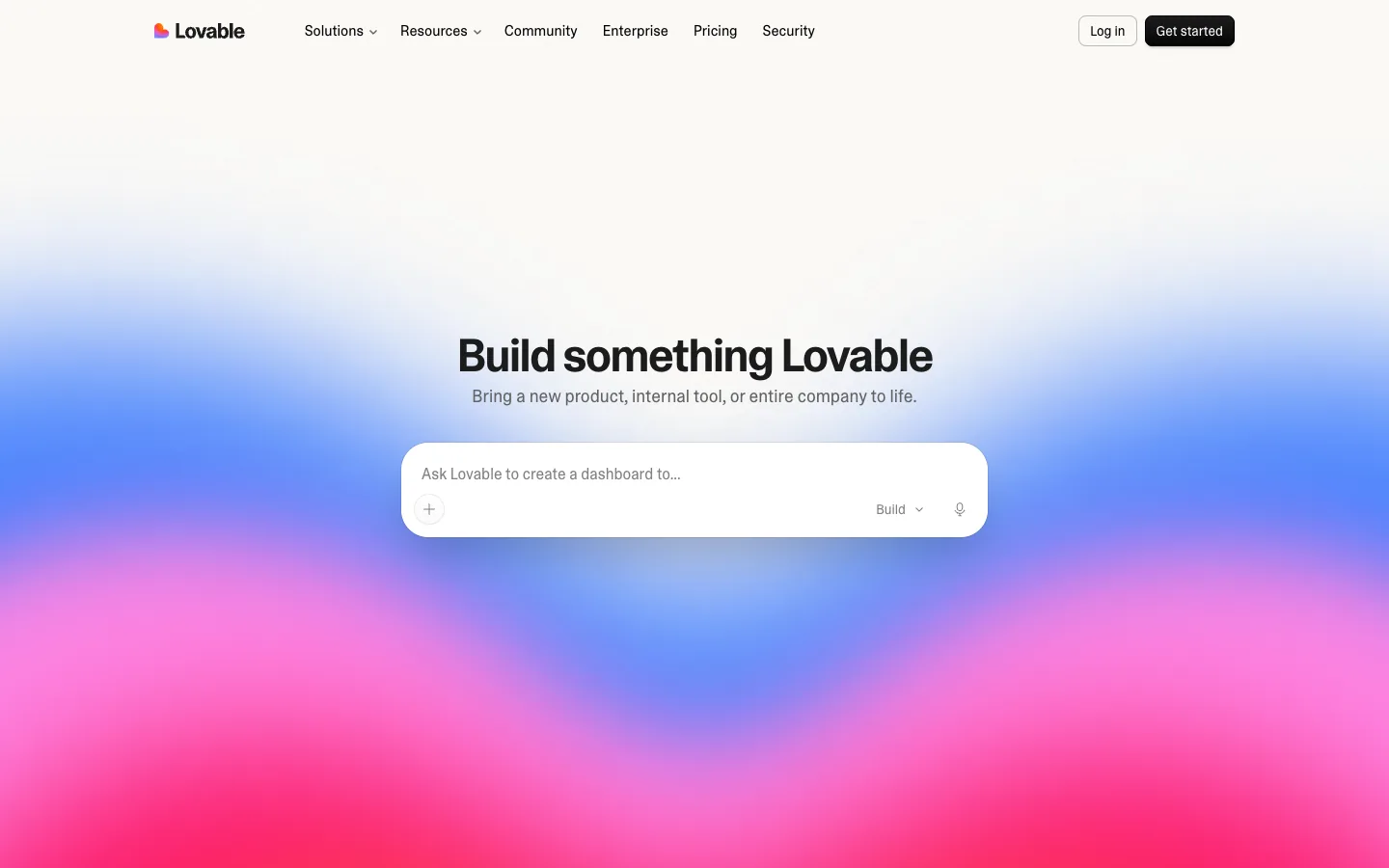
The polished one. Lovable builds full apps with a hosted backend and a clean editor. The plans page gives Free users 5 build credits a day capped at 30 a month, with no custom domain and no code download; Pro starts at $25 a month for 100 credits ($21 annual), and only paid plans can download code and attach a domain. Git sync with GitHub, GitLab and Bitbucket is on every plan, per the integration docs, so your code is never trapped. Where it slips: credits run out fast on iterative design changes, and the hosting uses 302 rather than 301 redirects between connected domains, which matters if SEO matters.
2. Bolt.new
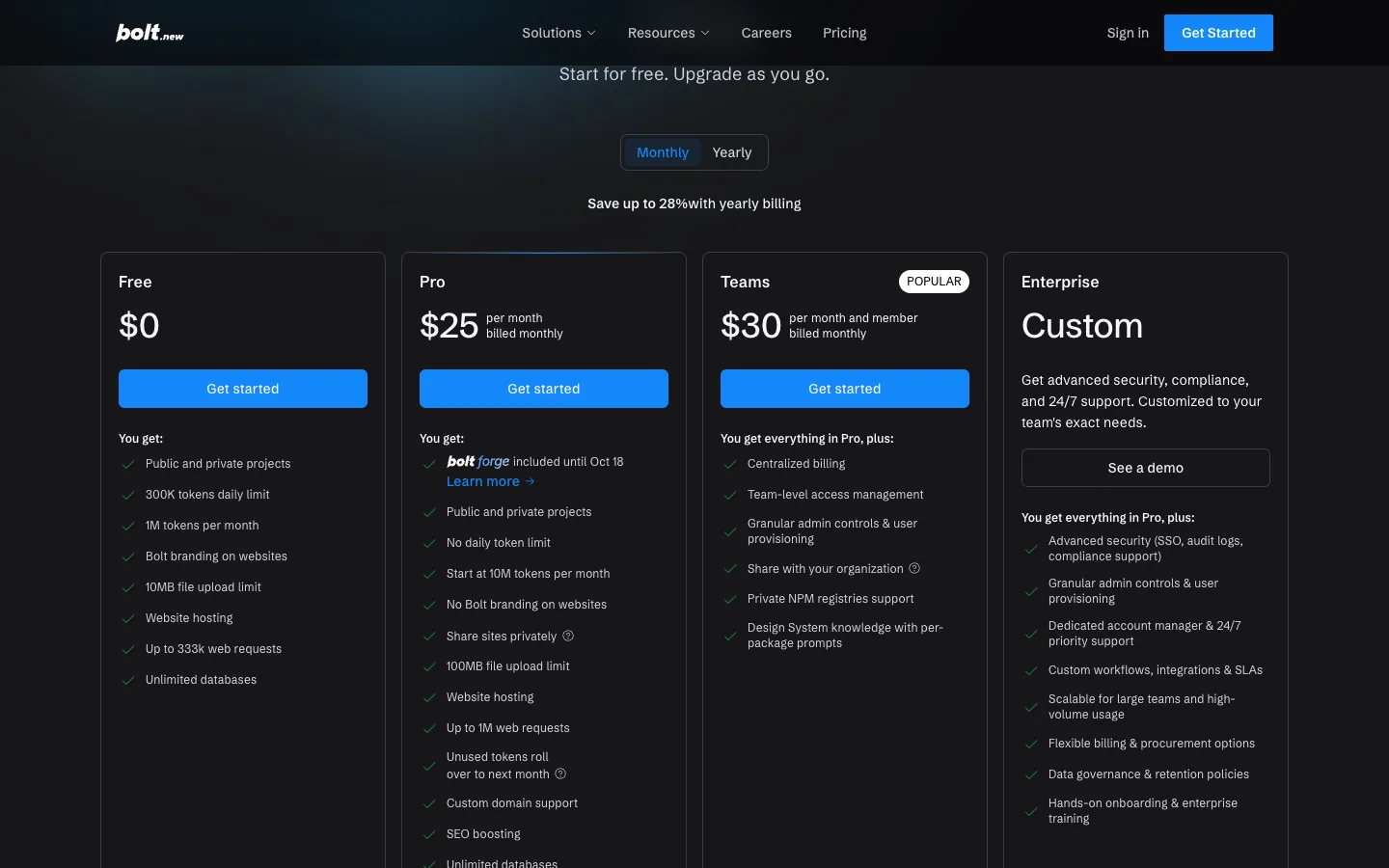
The one that lets you leave on day one. Bolt's Free plan gives 300K tokens a day and 1M a month with Bolt branding and 10MB uploads; Pro at $25 lifts the daily cap to 10M tokens a month, removes branding and adds custom domains. Export is a zip from the project menu, and you can choose Netlify as the host before the first publish, though Netlify's note warns a project already published to Bolt hosting cannot be moved later. Where it slips: tokens, not messages, so a long conversation with a big file burns the budget quickly.
3. v0 by Vercel
The developer's choice, because the output is a Next.js project that lands in a real repo. The pricing page lists Free with 7 messages a day, GitHub sync and Vercel deploys; Plus at $30 per user with $30 of monthly credits plus $2 a day; Business at $100. Pricing is per model token (v0 Mini, Pro and Max at different rates), not per seat alone. Per the FAQ, you can export the code, edit locally, and publish to Vercel with your own domain; GitHub pushes never go straight to main. Where it slips: it builds front ends; you bring the backend.
4. Replit Agent
The whole workbench in a browser. Replit's pricing shows Core at $20 a month ($18 annual) with $20 of model usage, and Pro at $100 with 10 parallel agents, $100 of model usage and 15 collaborators; there is no separate free tier on the pricing page. Custom domains are supported on published apps, with the domain bought from your own registrar, per the docs. Where it slips: hosting and database live inside Replit, so leaving means a real migration, not a download.
5. Figma Make
Best when the design already exists. Figma Make is available for Full seats on paid plans and can be tried on other seats, per Figma's guide; a Professional Full seat is $16 a month with 3,000 AI credits, Starter users get 150 a day, per Figma's pricing. Code downloads as a zip on Full or Dev seats, and you can publish to a Figma URL or assign a domain you own. It now scaffolds a Payload CMS backend and can edit a local codebase in beta. We wrote a full Figma Make guide. Where it slips: credits are shared with every other Figma AI feature, and a font change costs about 30 of them.
6. Google AI Studio Build
Free to build, and the most transparent about where the code goes. AI Studio's build mode generates an app from a prompt with Gemini, exports a zip, pushes to GitHub with AI-written commit messages, and deploys to Cloud Run where Google's usage pricing applies, per the docs. API keys are injected server-side so they do not leak into the client. Where it slips: a custom domain means configuring Cloud Run yourself.
7. Base44
Now part of Wix, and priced for non-developers. The pricing page lists Free with 25 messages and up to 5 apps, Starter at $16 a month on annual billing with 100 messages and a custom domain with the first year free, Builder at $40 with GitHub sync, then Pro and Elite. Where it slips: GitHub sync starts at the $40 tier, so cheap plans keep the code inside Base44.
8. Emergent
Credit-based and quick. Emergent's pricing gives 10 free credits, Standard at $20 a month ($17 annual) with 100 credits, private hosting and GitHub integration, and Pro at $200 with 750 credits. Custom domains are not listed on the pricing page. Where it slips: the missing domain line, which rules it out for anything public-facing until that changes.
9. Hostinger AI Builder (formerly Horizons)
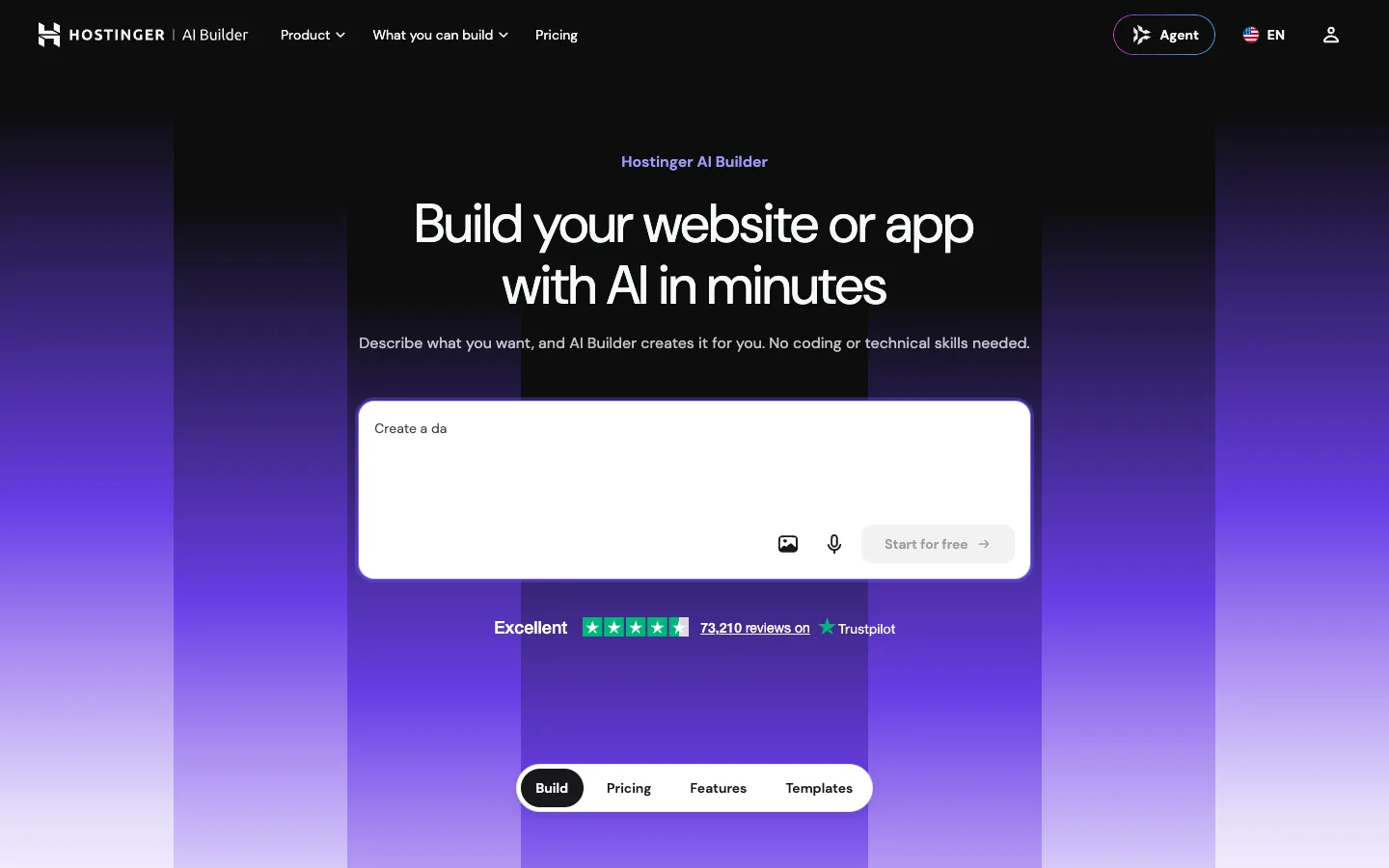
The cheapest route to a live site. Hostinger's page states that Horizons was merged into AI Builder, with Premium at $2.99 a month introductory (renewing at $10.99), 250 credits and three sites, up through Cloud Startup at $7.99 with 1,000 credits; every plan includes hosting, a free domain for a year and a code editor with export, per Hostinger. A business page "usually takes 5 to 10 credits". Where it slips: the renewal price is three to four times the intro, and the output is a site, not an app with logic.
10. Webflow AI
Not a vibe coding tool in the chat-to-app sense, but the right answer for a lot of the people searching. Webflow's AI Site Builder generates a sitemap, design system and look from a prompt, and its AI features cover meta descriptions, alt text, structured data and copy rewrites; the Webflow MCP server lets an agent such as Claude Code build pages and CMS structure directly. The code stays in Webflow by design. Where it slips: if you need app logic, auth or a database, this is the wrong tool and the others on this list are right.
Built a prototype and not sure what to do with it?
Send us the Lovable, Bolt or v0 link. We will tell you, free, whether to keep building there, export to a repo, or rebuild the marketing side in Webflow.
Head-to-head verdicts people actually search for
Lovable vs Bolt
Bolt if you want the code early and cheaply: zip export on the free plan, a million free tokens a month. Lovable if you want a finished app with a backend and a nicer editor, and you are happy to pay $25 before you download anything. Both support custom domains on paid plans.
Lovable vs v0
v0 when the result must live in a Next.js repository your developers own; its free tier already syncs to GitHub and deploys to Vercel. Lovable when the result is a standalone product with its own hosting, database and auth, built by someone who does not want to see the repo.
Bolt vs v0
Both give you code on day one. v0 is opinionated about React and Next.js and bills by model token; Bolt is framework-flexible and bills by token allowance per plan. Pick v0 if you deploy on Vercel anyway, Bolt if you want Netlify or your own host.
Figma Make vs Lovable
Figma Make starts from a design you already have and bills through Figma credits on a $16 seat; Lovable starts from a prompt and bills through its own credit tiers from $25. If the design exists in Figma, Make. If it does not, Lovable.
How to start, and when to stop
How to start vibe coding in an afternoon
Pick the free tier that matches what you want to keep: Bolt or v0 for code, Lovable or Base44 for a hosted app, Figma Make if your designs already live in Figma. Write the first prompt as a brief, not a wish: who the app is for, the three screens it needs, the data it stores, the one thing it must never do. Iterate in small requests, one change at a time. Export to GitHub before you pay for anything, so the decision to upgrade is about features, not hostage code. Figma's own credit tips apply to every tool here: make the first prompt do the heavy lifting and make small edits by hand.
When to stop vibe coding and build properly
Stop when any of these becomes true: the app has paying users and no test suite; the marketing pages need to rank and the tool controls the hosting; a non-developer needs to edit content weekly; or the monthly credit bill passes what a developer day costs. At that point the prototype has done its job. Our usual path is a Webflow site for everything marketing, built with Claude Code and the Webflow MCP, and a real repository for the app, which is the workflow we describe in our Claude Code vs Cursor comparison and our guide to designing a website with AI.
Ready to turn the prototype into a real site?
We rebuild vibe-coded marketing sites in Webflow with the design kept and the SEO fixed. Get a free scope with the page list, timeline and price.
Frequently asked questions
Which vibe coding tools let me export code?
Bolt (zip or GitHub), v0 (export and GitHub), Lovable (Git sync on all plans, download on paid), Figma Make (zip on Full or Dev seats), Google AI Studio (zip or GitHub), Base44 (GitHub on Builder and above) and Hostinger AI Builder (code editor and export). Replit and Emergent rely on their GitHub integrations rather than a download button.
What is the best free vibe coding tool?
For code you keep, Bolt's free plan with a million tokens a month and a zip export, or v0's free plan with GitHub sync and Vercel deploys. For a hosted app without code, Lovable's free tier at 5 credits a day. Google AI Studio is free to build with and charges only for Cloud Run hosting if you deploy there.
Can I put a vibe-coded app on my own domain?
Usually, but it is a paid feature. Bolt and Lovable need their $25 plans, Base44 includes a domain year from the $16 Starter, Figma Make lets you assign a domain you own, v0 goes through Vercel, and Replit lets you point a domain you bought elsewhere at a published app. Emergent does not list custom domains at all.
How do I start vibe coding?
Choose a free tier that matches what you want to keep, write the first prompt as a short brief with audience, screens and data, then make one small change per message. Push the project to GitHub before upgrading. Expect the first hour to produce something that works and the second week to reveal what the tool cannot do.
Is vibe coding good enough for a business website?
For a prototype or an internal tool, yes. For a marketing site that has to rank, load fast and be edited by non-developers, no. Those sites need a CMS, SEO control and hosting you own, which is why most vibe-coded projects end up exported into a repository or rebuilt in Webflow once they prove the idea.
Prototype Fast. Launch Properly.
We take vibe-coded prototypes and turn them into Webflow sites and production apps that a team can maintain. Get a free scope and quote.




